Where can I view my current subscription plan information?
Use [Subscriptions] on Web or [Subscription] on App to review your current plan, usage, add-on services, payment details, and payment method summary.
Entry:
- Web: [My Profile] -> [Subscriptions]
- App: [Home] -> tap your avatar to open the side drawer -> [Subscription]
Web
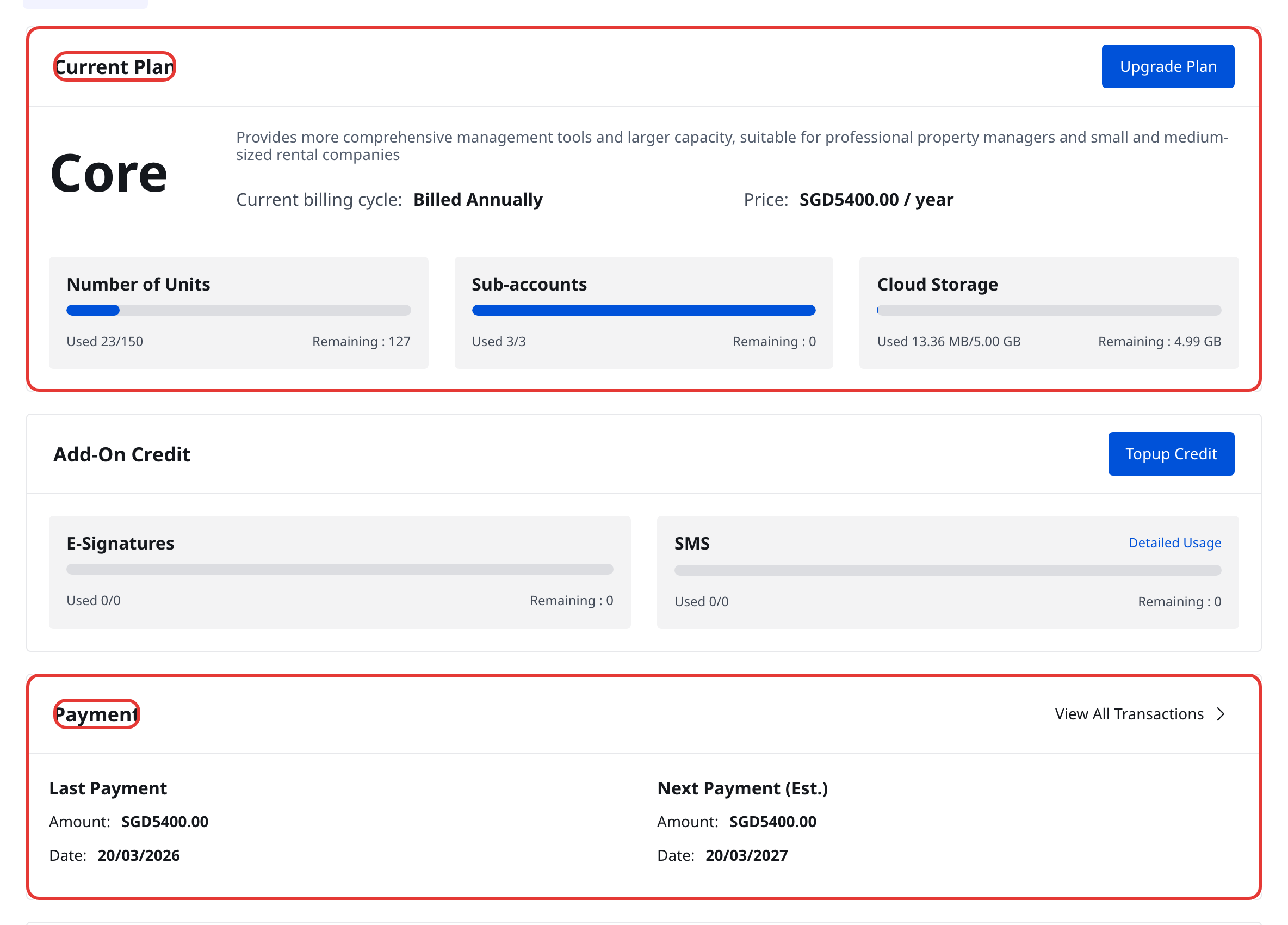
Step 1 Open [My Profile] -> [Subscriptions], then stay on [Overview].

Step 2 On [Overview], review:
- [Current Plan]
- Plan billing cycle and price
- Usage for [Number of Units], [Sub-accounts], and [Cloud Storage]
- [Add-On Credit]
- [Payment], including [Last Payment] and [Next Payment]
- [Payment Method]
App
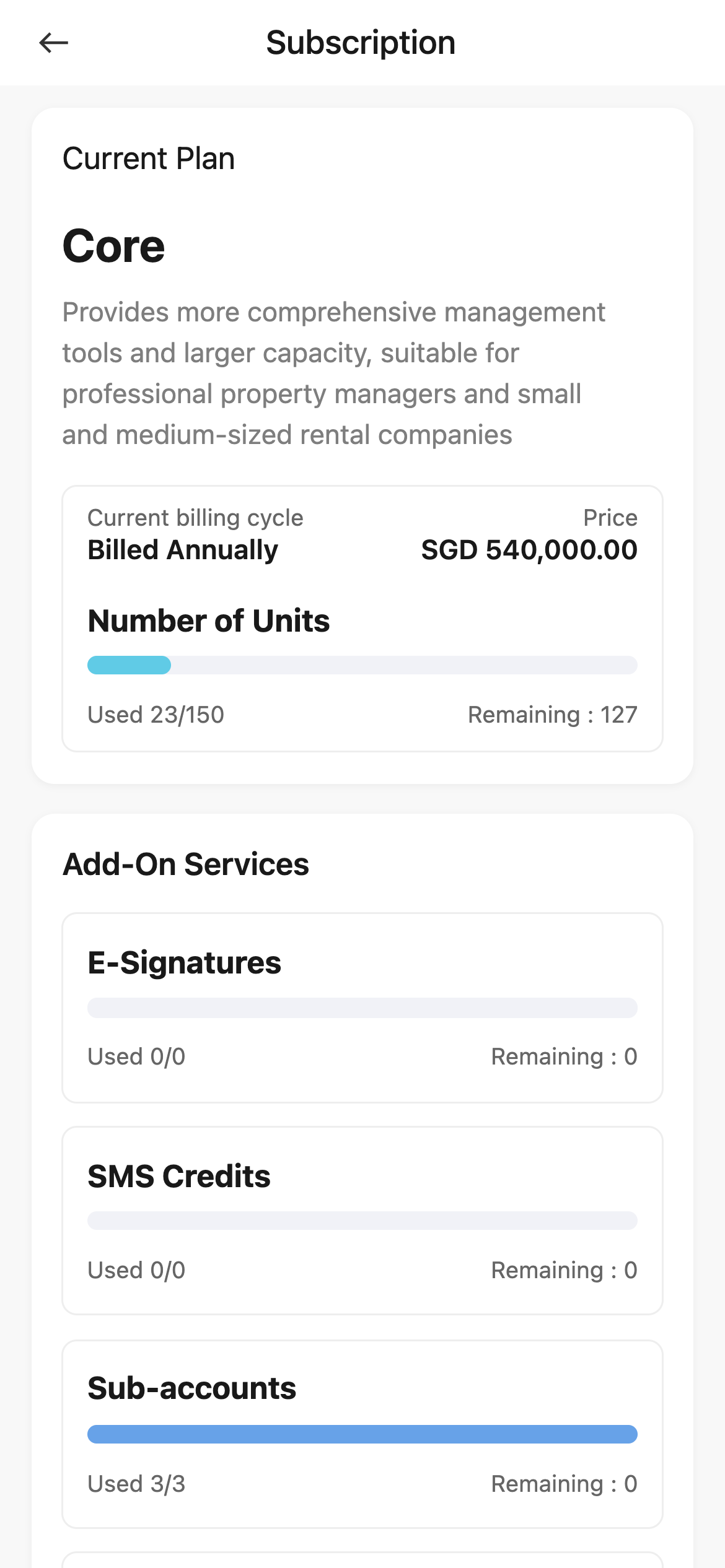
Step 1 From [Home], tap your avatar to open the side drawer, then tap [Subscription].
Step 2 On the [Subscription] page, review:
- [Current Plan]
- [Current billing cycle] and [Price]
- [Add-On Services], including [E-Signatures], [SMS Credits], [Sub-accounts], and [Cloud Storage]
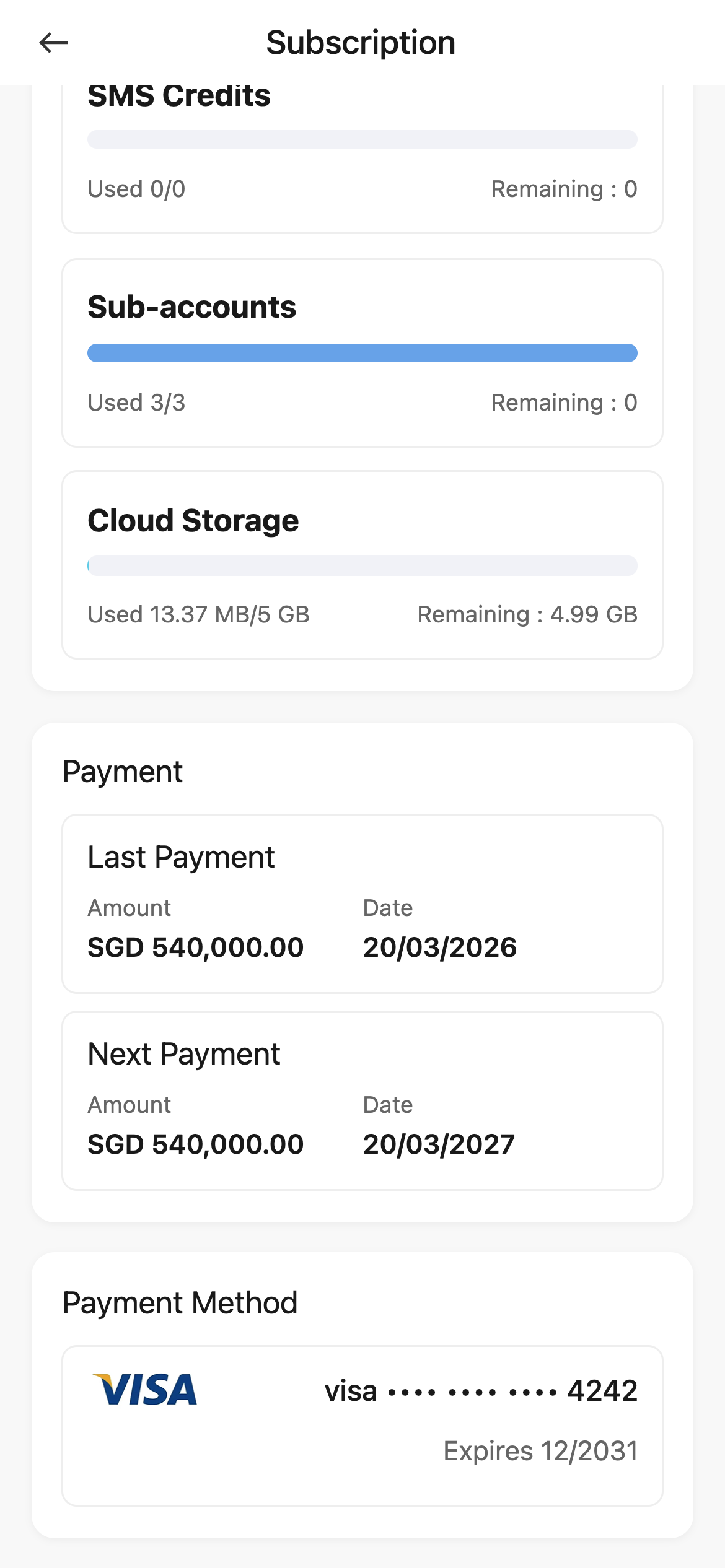
Step 3 Scroll down to review:
- [Payment]
- [Payment Method]
Platform differences
- Web uses separate tabs such as [Overview], [Subscription], [Add-On], [Payment Method], and [Transaction].
- App puts the current subscription summary on one [Subscription] page.
- Web provides action buttons such as [Upgrade Plan], [Topup Credit], [View All Transactions], and [Edit], while App currently focuses on viewing the current summary.
Note:
- Use Web if you need to compare plans, top up add-on services, manage payment methods, or open full transaction history.
- App is useful for checking the current plan and billing summary quickly.