Where should I set the default currency for my account?
Use [Region and Currency] in [Account Settings] to choose your account's default currency and how currency amounts are shown across the system.
Entry:
- Web: [My Profile] -> [Account Settings]
- App: [Home] -> tap your avatar to open the side drawer -> [Account Settings]
Web
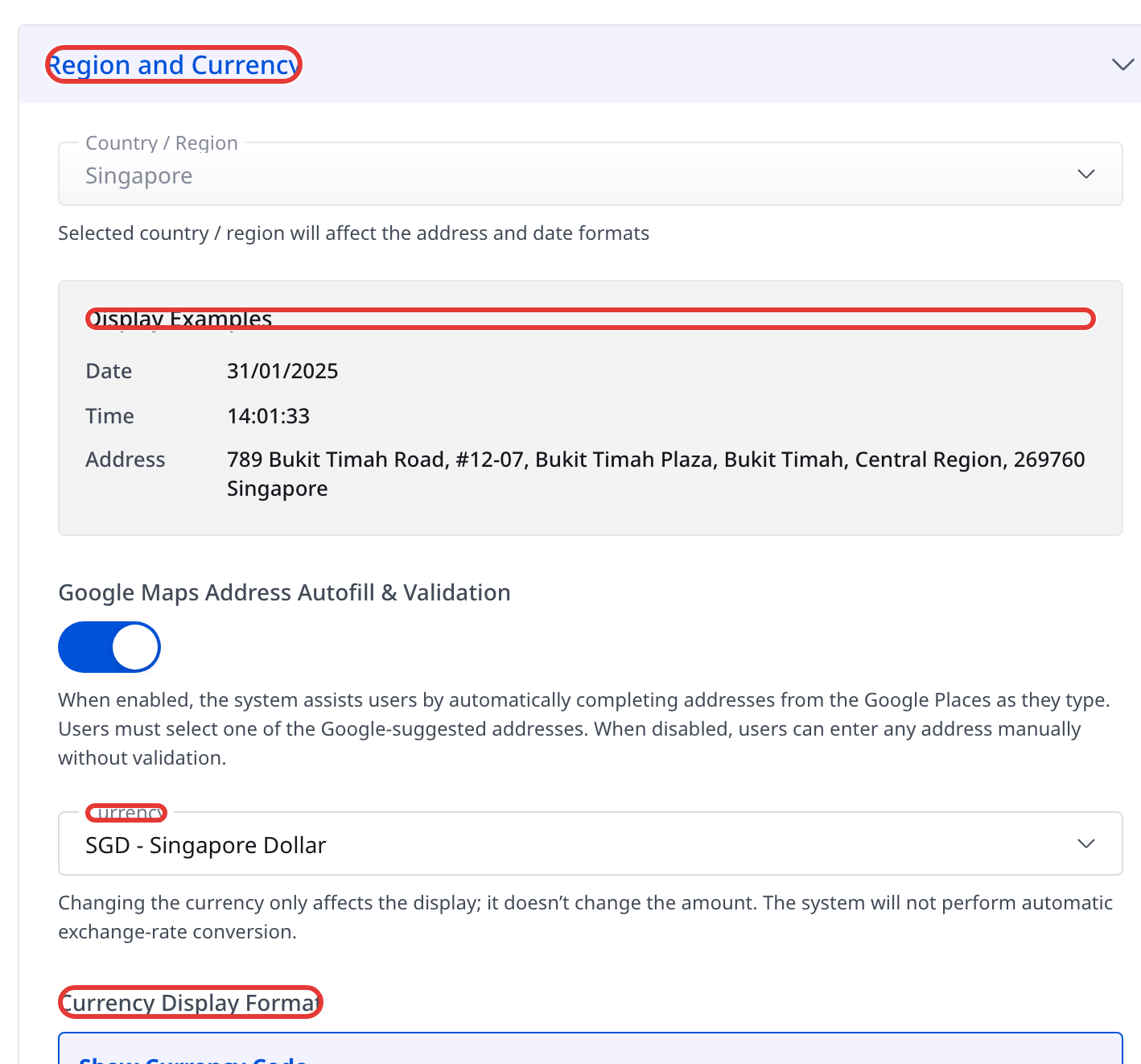
Step 1 Open [My Profile] -> [Account Settings], then find [Region and Currency].
Step 2 In the same card, set [Currency] to the currency you want the account to use for display.
Step 3 Under [Currency Display Format], choose how amounts should appear:
- [Show Currency Code]
- [Show Currency Symbol]
App
Step 1 From [Home], tap your avatar to open the side drawer, then tap [Account Settings].
Step 2 In [Region and Currency], tap [Currency] to choose the currency unit for your account.
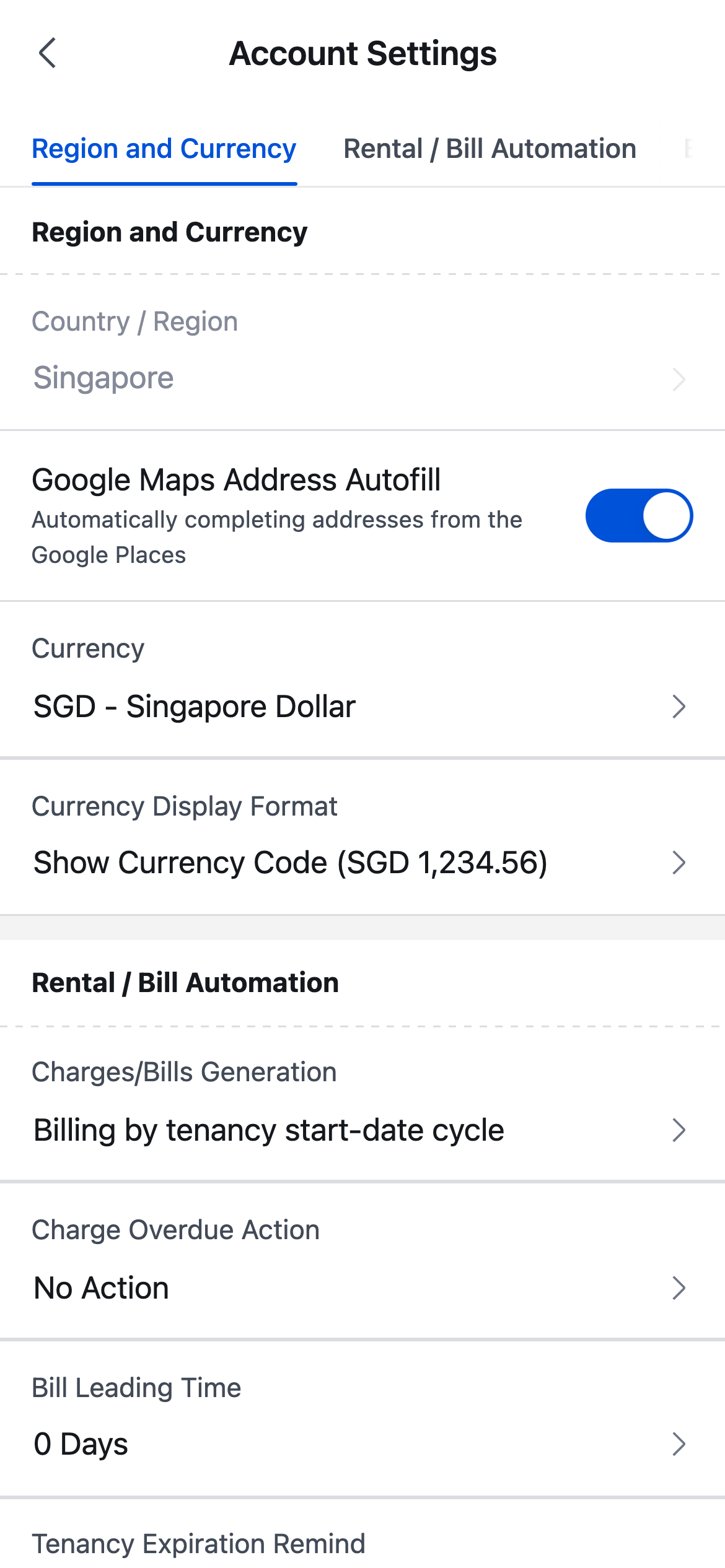
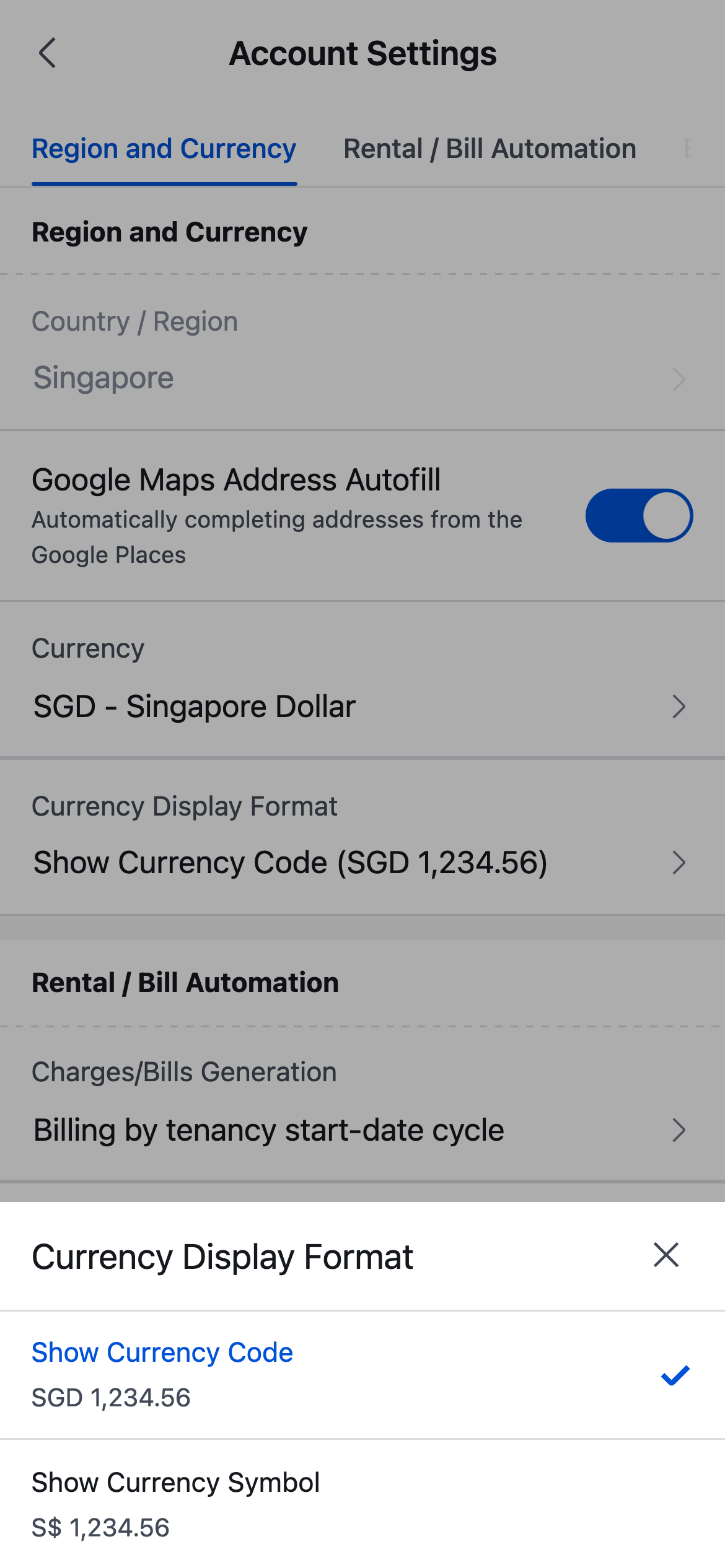
Step 3 Tap [Currency Display Format], then choose:
- [Show Currency Code]
- [Show Currency Symbol]
Platform differences
- Web shows [Currency] and [Currency Display Format] directly on the same card.
- App opens a bottom sheet when you tap [Currency] or [Currency Display Format].
- Web also shows [Display Examples] for the current country/region above the currency controls, while App keeps the same settings in a more compact list.
Note:
- [Country / Region] is view-only on both Web and App.
- Changing [Currency] changes how values are displayed. It does not convert existing amounts automatically.
- [Currency Display Format] only changes whether the UI shows the currency code or symbol.