How to view smart lock usage records?
Open the smart lock detail page and switch between unlock logs and operation logs to review the current lock history.
Entry:
- [IoT Devices] -> [Smart Locks]
Web
Step 1 Open the smart lock detail page for the lock you want to review.
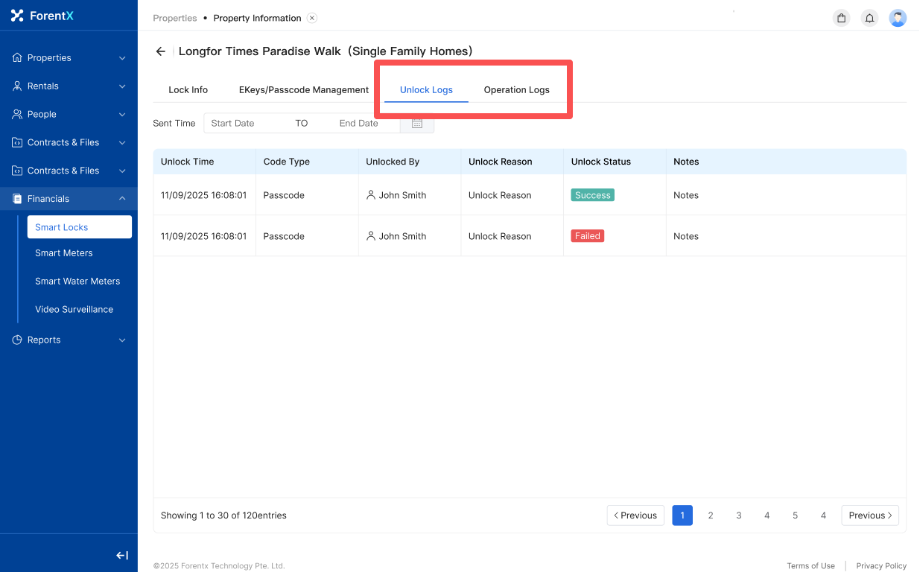
Step 2 Switch between [Unlock Logs] and [Operation Logs] to see the records you need.
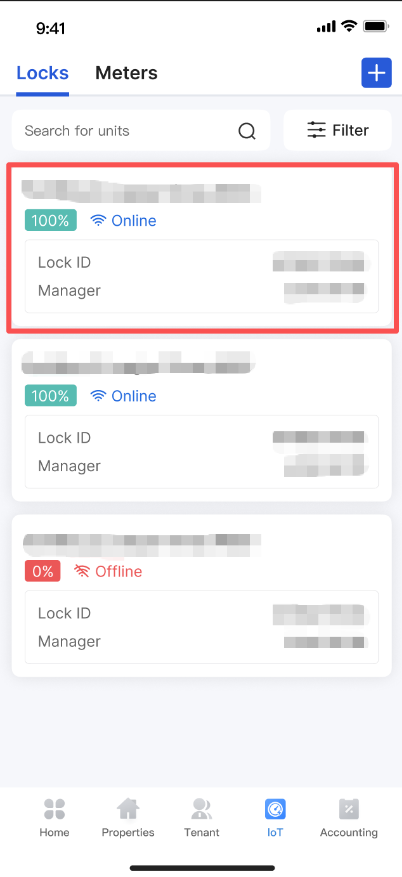
App
Step 1 Open the same smart lock from the current lock list in the operator App.
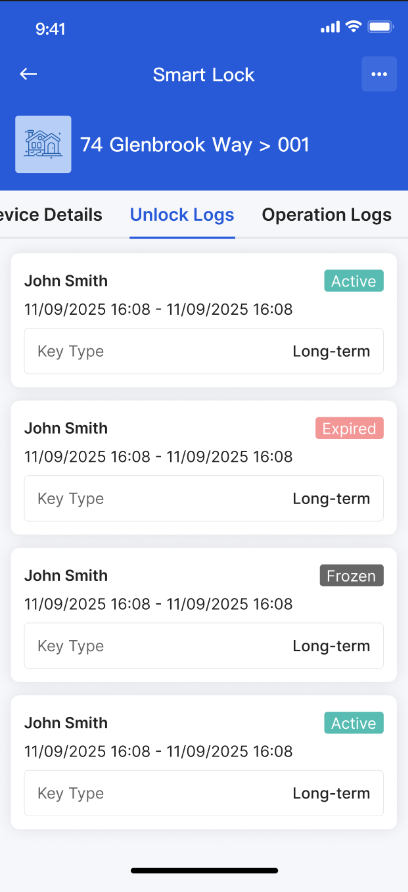
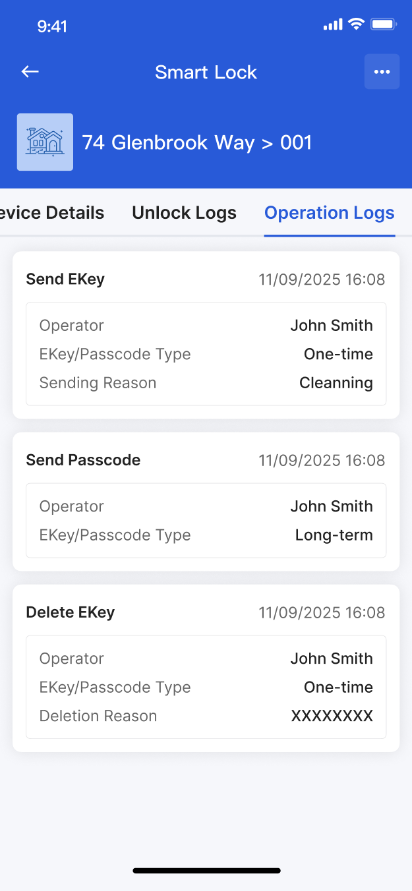
Step 2 Switch between [Unlock Logs] and [Operation Logs] on the detail page.
Platform differences
- Both surfaces separate unlock history from operation history, but the layout is not identical.
- The available records depend on the current lock activity and sync status.
Note:
- Use unlock logs when you need door-open history.
- Use operation logs when you need system or management actions performed on the lock.