How to manage smart lock keys/passcodes?
Open a smart lock detail page to switch between eKeys and passcodes, then review or manage the credential you need.
Entry:
- [IoT Devices] -> [Smart Locks]
Web
Step 1 Open the smart lock you want to manage and enter [EKeys/Passcode Management].
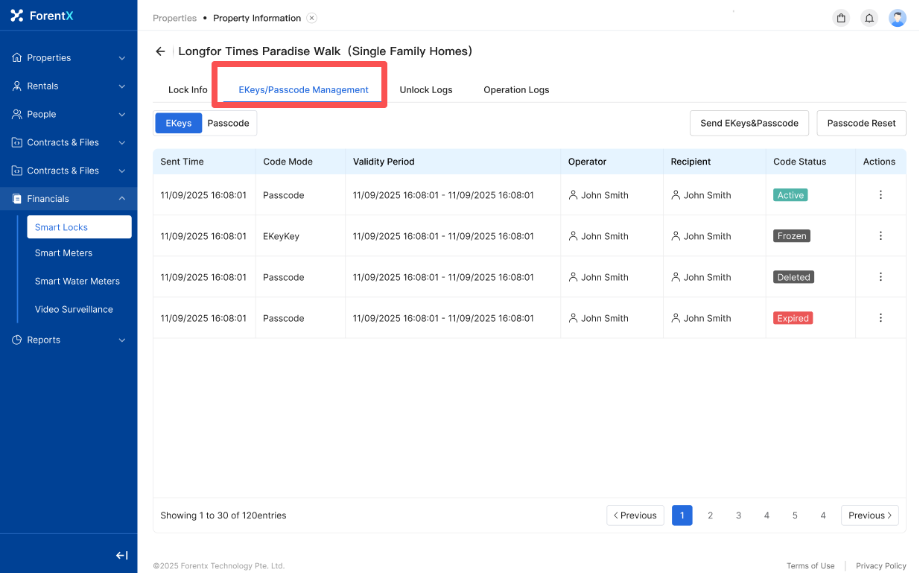
Step 2 Switch between [EKeys] and [Passcode], then open the credential you want to review or change.
- Use the current credential detail to review status and available actions.
App
Step 1 Open the smart lock detail page and tap [Passcode Management].
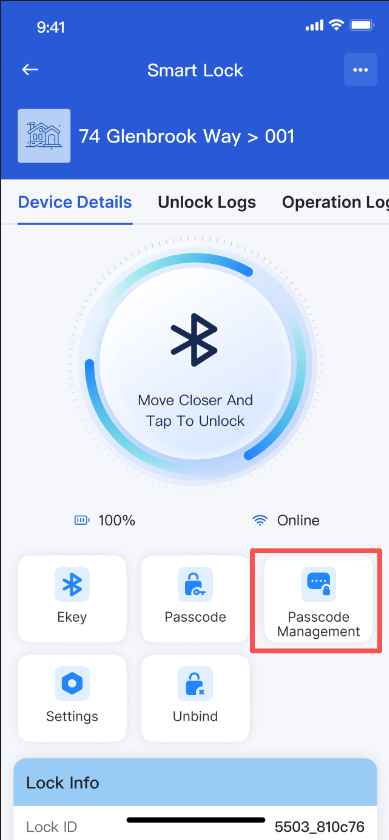
Step 2 Choose the credential you want to manage and enter its detail page.
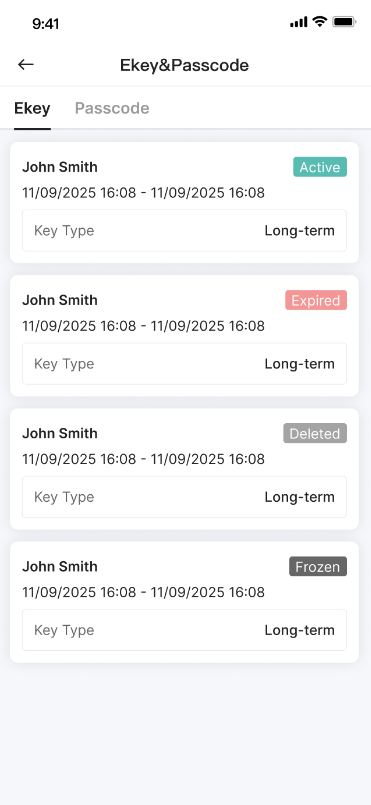
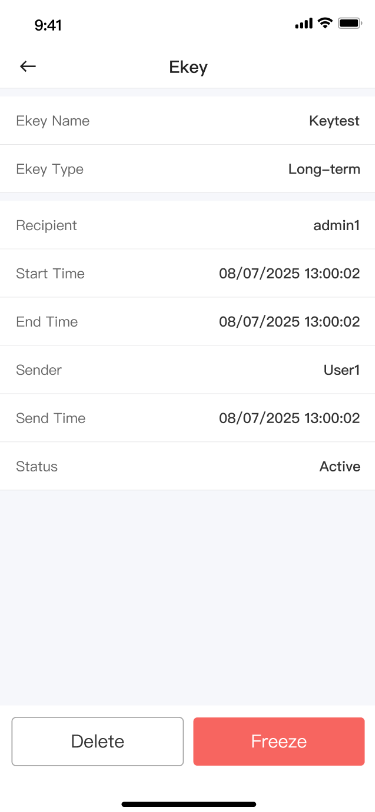
Platform differences
- Web starts from the smart lock detail page and separates [EKeys] and [Passcode] inside the management area.
- App can require Bluetooth when you need to delete or freeze a credential for a lock that is currently offline.
Note:
- The exact actions available for a credential depend on its current type, status, and lock connectivity.
- Stay near the lock if the current operation needs Bluetooth to finish.