How do I remotely control the power supply on or off of a smart meter?
Use the smart meter detail page to send the current remote power command for an online smart meter.
Entry:
- [IoT Devices] -> [Smart Meters]
Web
Step 1 Open the detail page for the smart meter you want to control.
Step 2 Check which action is currently available.
- If the meter is currently on, the page shows [Turn Off Power].
- If the meter is currently off, the page shows [Turn On Power].
Step 3 Click the available power action and review the confirmation dialog.
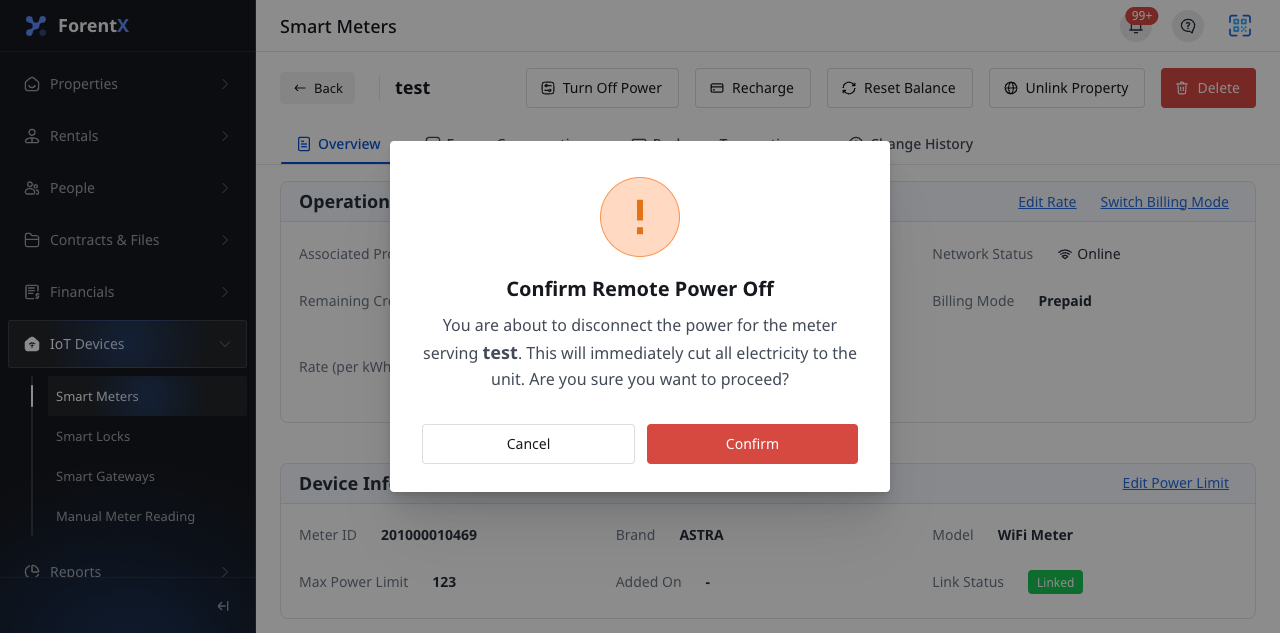
Step 4 Click [Confirm] if you want to send the command.
Note:
- The current page only shows the remote power action when the smart meter is online.
- The current success messaging warns that status updates can be delayed, so the latest power state may not refresh immediately after the command is sent.