Can a unit or property be bound to multiple smart meters?
Use [Smart Meters] when you add a meter or link an unlinked meter. On both Web and App, the current binding flow allows only one active smart meter of the same device type for the same [Property] or [Unit] at a time.
Entry:
- Web: [Smart Devices] -> [Smart Meters]
- App: [Smart Devices] -> [Smart Meters]
Web
Step 1 Open [Smart Meters]. Use [Add Meter] to add a new meter, or use [Link Property] on an unlinked meter from the list.
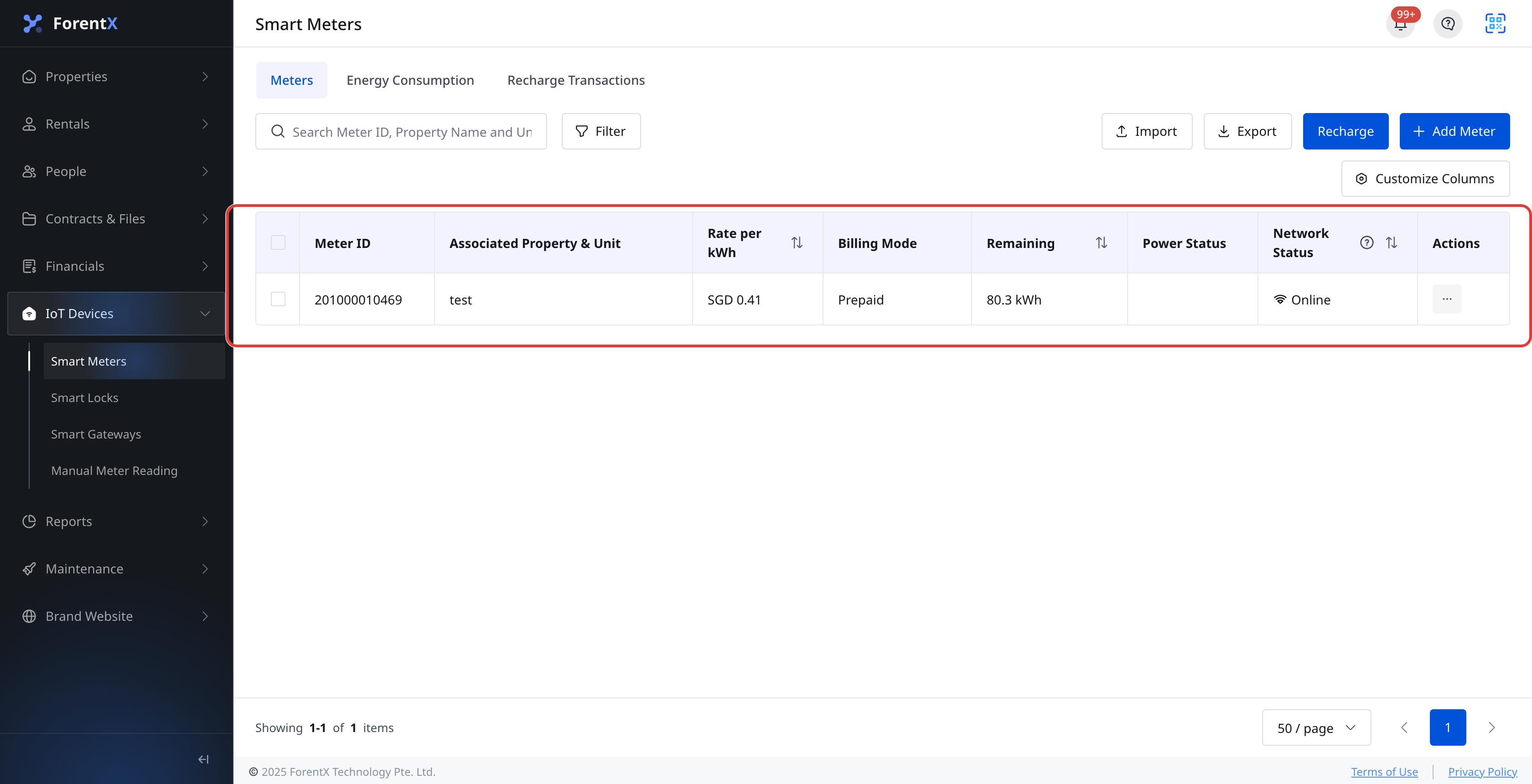
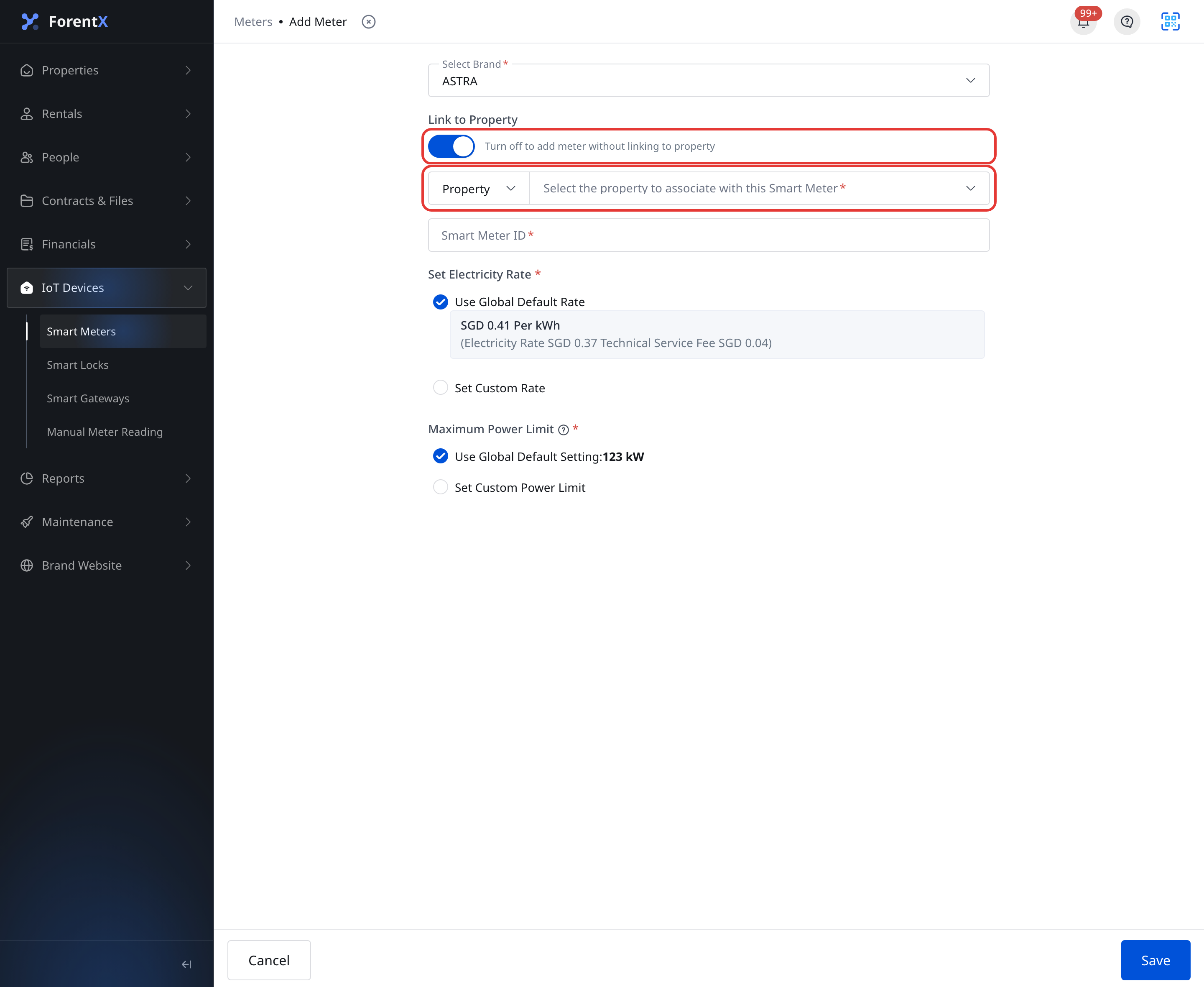
Step 2 On [Add Meter], keep [Link Property] turned on, then choose whether the meter should be linked to a [Property] or a [Unit].
- The selector only lists targets that are currently available for smart meter binding.
- If the same property or unit already has an active smart meter of the same device type, it is not offered as another active binding target.
App
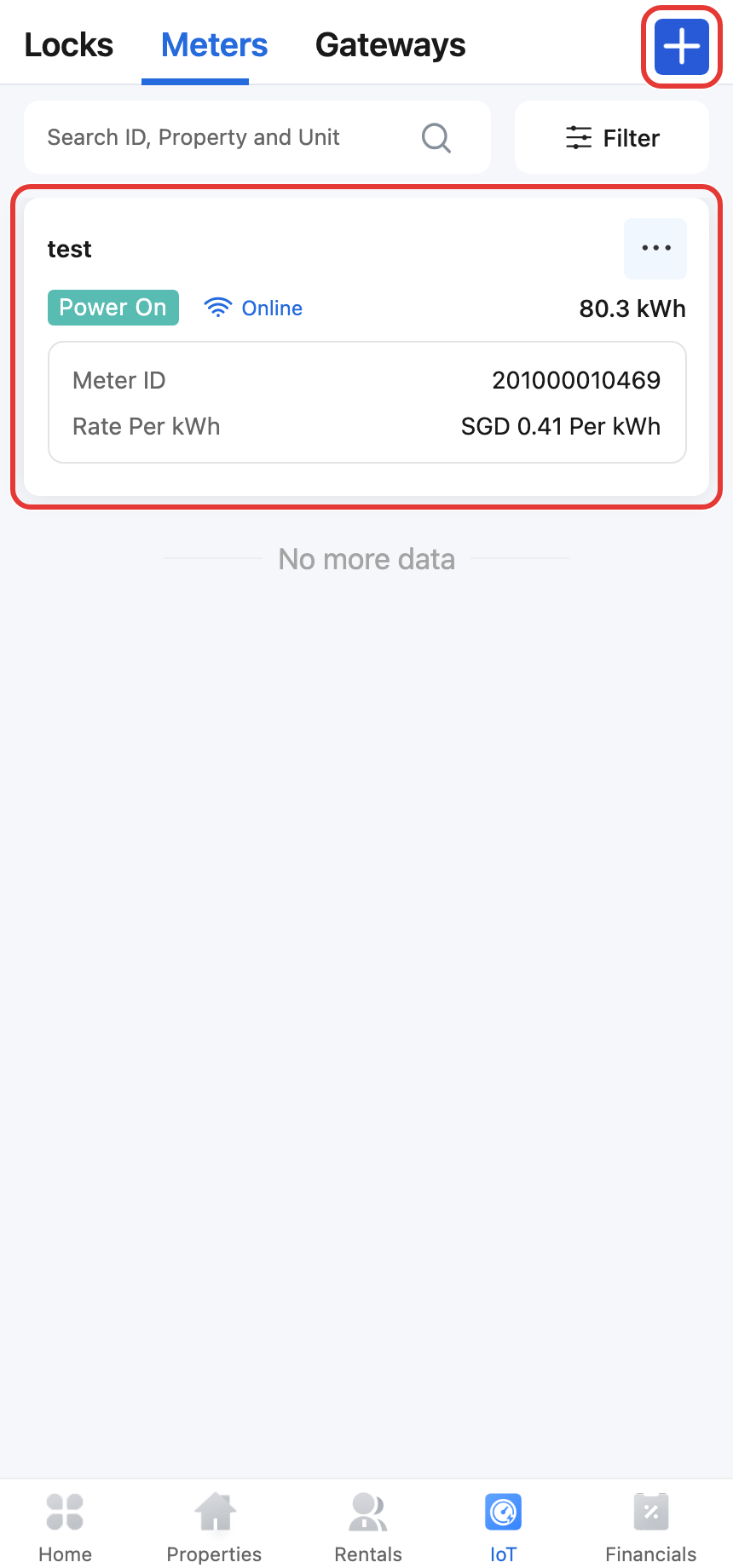
Step 1 Open [Smart Devices] and stay on the [Smart Meters] tab. Tap the add icon, then choose [Add Meter], or use [Link Property] on an unlinked meter from the list.
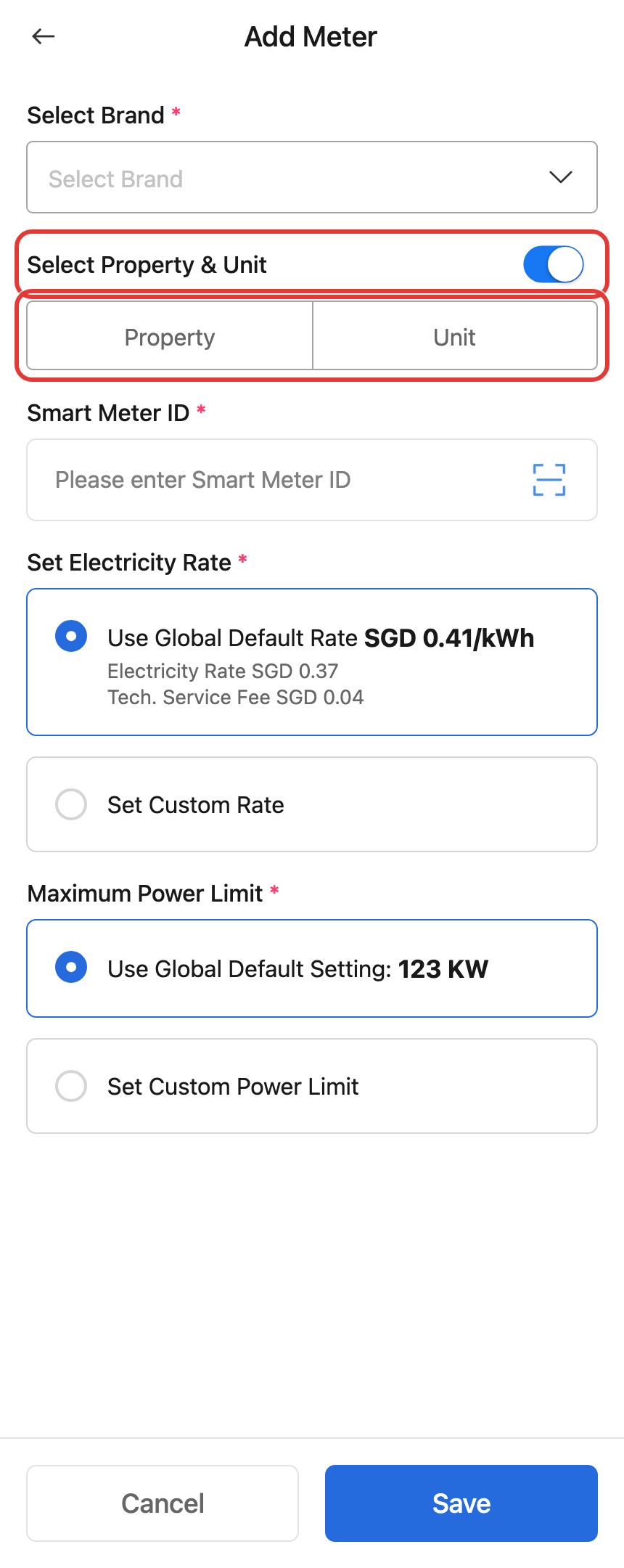
Step 2 In [Add Meter], keep the property-link switch turned on, then choose whether to bind the meter to a [Property] or a [Unit].
- App uses the same bindable target rule as Web.
- If the selected property or unit already has an active smart meter of the same device type, you cannot keep it as another active smart meter binding.
Platform differences
| Topic | Web | App |
|---|---|---|
| Entry | [Smart Devices] -> [Smart Meters] | [Smart Devices] -> [Smart Meters] |
| Add a new meter | Click [Add Meter] on the page | Tap the add icon, then choose [Add Meter] |
| Link an unlinked meter | Use [Link Property] from the list | Use [Link Property] from the list or meter actions |
| Binding rule | Same property or unit can keep only one active smart meter of the same device type | Same property or unit can keep only one active smart meter of the same device type |
Note:
- This limit is enforced per device type. This article covers smart meters.
- If you need to replace the current smart meter, unlink the existing one first, then bind the new meter.
- The available property and unit options depend on the current bindable target list returned by the system.