How do I set up overdue reminders for charges?
Use [Notification Rules] under [My Profile] to decide how ForentX reminds operators or tenants after a charge becomes overdue.
Entry:
- [My Profile] -> [Notification Rules]
Web
Step 1: Open the overdue reminder rules
- Open [Notification Rules].
- Switch to the [Financials] tab.
- Find the [Charge Overdue Reminder] row for the recipient you want to notify:
- [Operator]
- [Tenant]
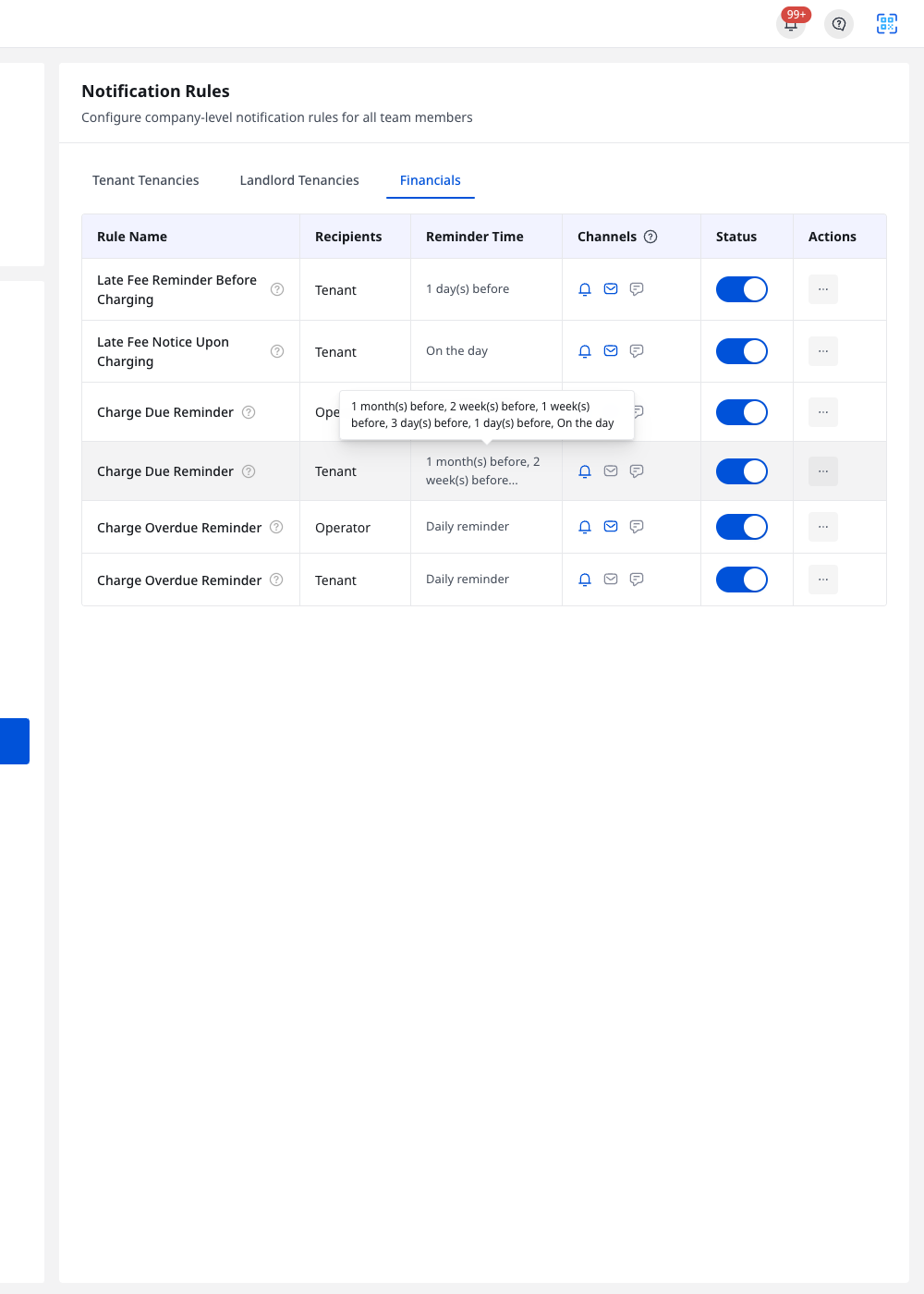
Step 2: Review the reminder channels
- Open the row [Actions] menu, then click [Edit].
- In [Edit Notification Rule], review the fixed setup for this rule:
- [Reminder Time] is fixed to [Daily reminder]
- You can turn [Push Notification], [Email], and [SMS] on or off
- Click [Save] after keeping the channels you want to send.
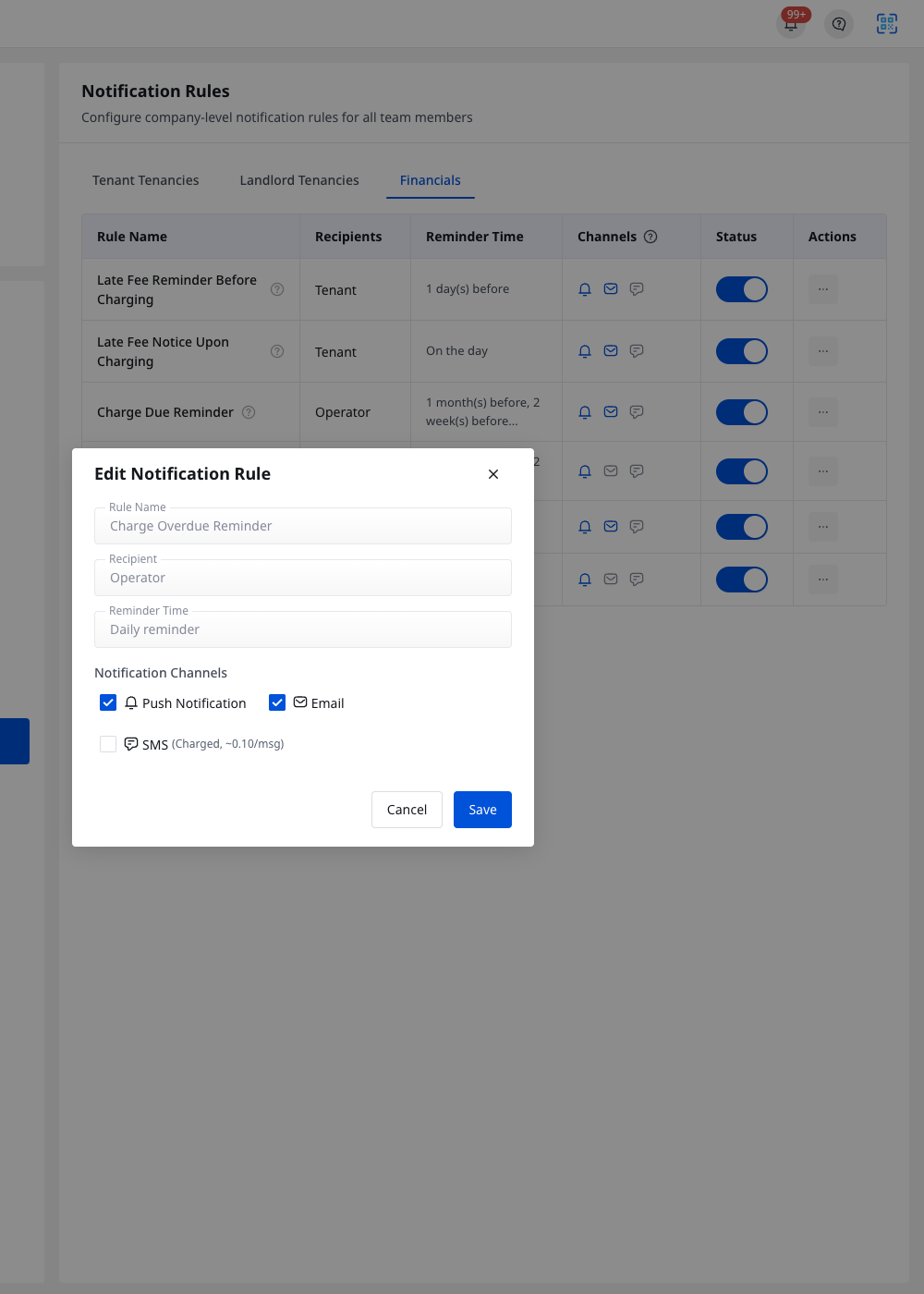
Platform differences
The current Property Operator App does not provide a live page to edit [Charge Overdue Reminder] rules. Use Web to manage the reminder channels and recipients.
Note:
- The [Status] switch in the rule list turns each overdue reminder on or off without opening the edit dialog.
- Edit the [Operator] and [Tenant] rows separately if you want different channels for each recipient.
- The old overdue setting in [Account Settings] is no longer the place to manage this reminder.