How do I set a custom electricity rate or maximum power for an individual smart meter?
Use the smart meter detail page when one meter needs its own rate or power limit instead of the current global default.
Entry:
- [IoT Devices] -> [Smart Meters]
Web
Step 1 Open the detail page for the smart meter you want to update.
- The current detail page includes [Edit Rate] and [Edit Power Limit] on the [Overview] tab.
Step 2 Click [Edit Rate] to update the electricity rate for only that smart meter.
- Choose [Use Global Default Rate] if you want this meter to keep following the current default rule.
- Choose [Set Custom Rate] if you want this meter to use its own [Electricity Rate] and [Technical Service Fee].
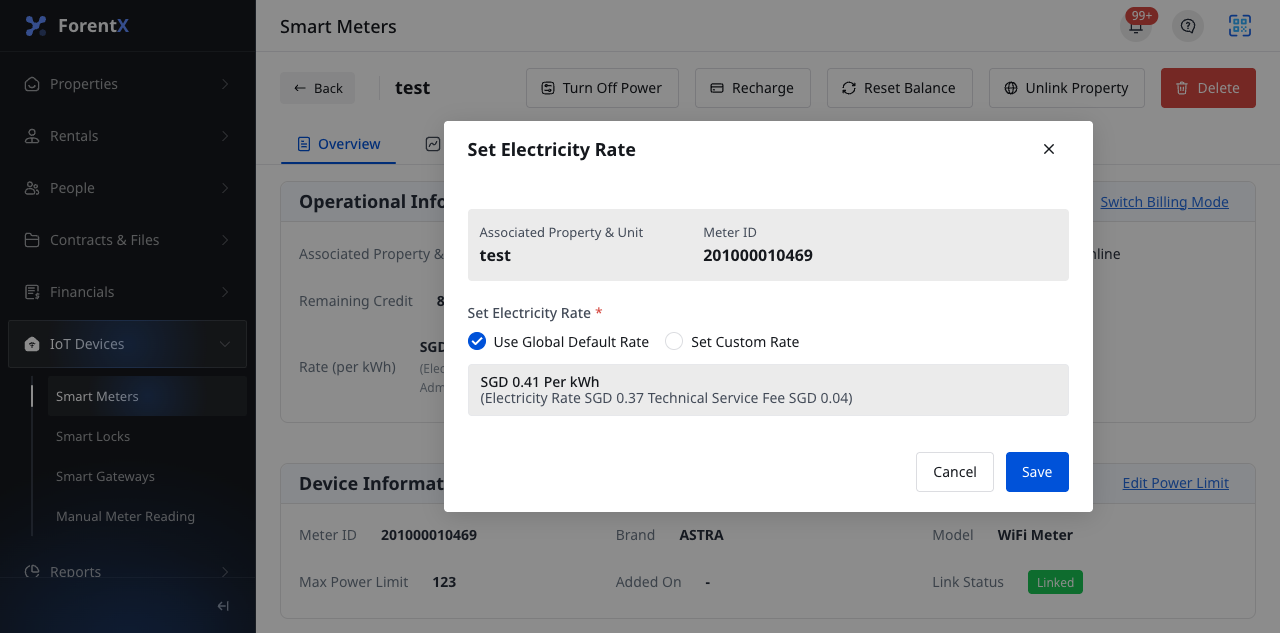
Step 3 Click [Edit Power Limit] to update the maximum power for only that smart meter.
- Choose [Use Global Default Setting] if you want this meter to keep following the default power rule.
- Choose [Set Custom Power Limit] if you want this meter to use its own limit.
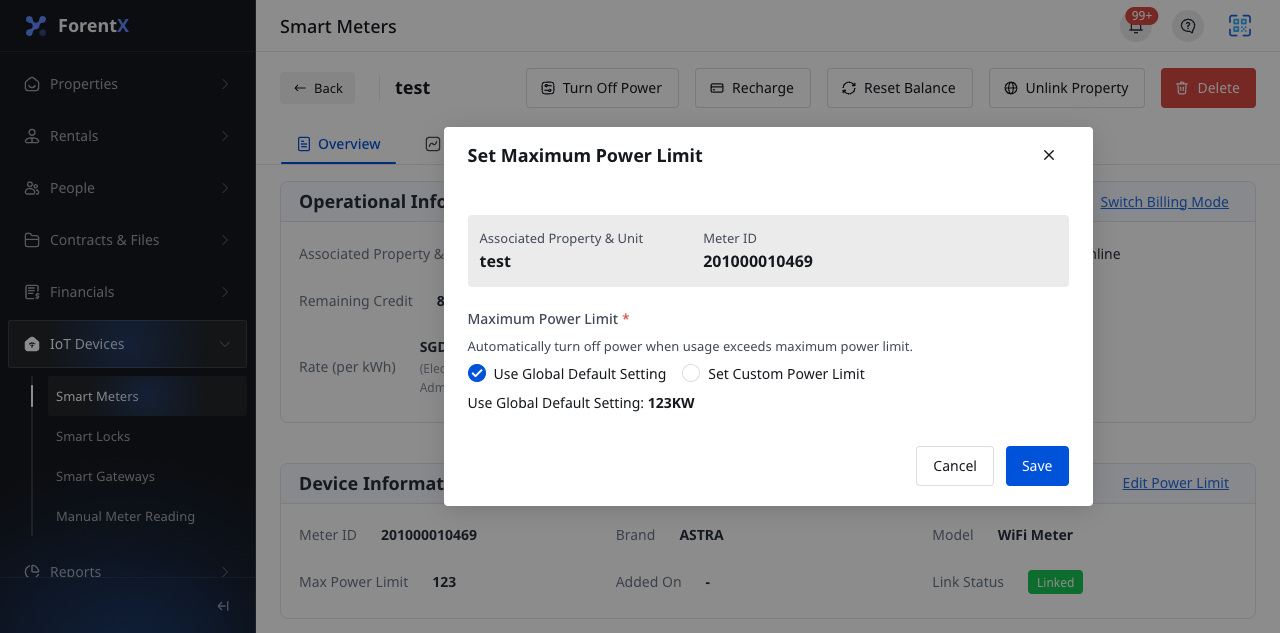
Step 4 Click [Save] in the dialog you changed.
Note:
- Both dialogs show the current property or unit and meter ID before you save.
- Changing these dialogs affects the current smart meter only.
- If you need to change the default rule for all new meters, use [Personal Center] -> [IoT Settings] instead.