How do I remotely clear the balance of a smart meter?
Use [Reset Balance] when you need to clear the remaining prepaid credit of a smart meter to zero. Web and App both support this action from the smart meter detail flow.
Entry:
- Web: [IoT Devices] -> [Smart Meters] -> open the target meter detail page
- App: [IoT] -> [Meters] -> open the target meter detail page
Web
Step 1 Open the prepaid smart meter you want to update. On the detail page, use [Reset Balance] in the action area.
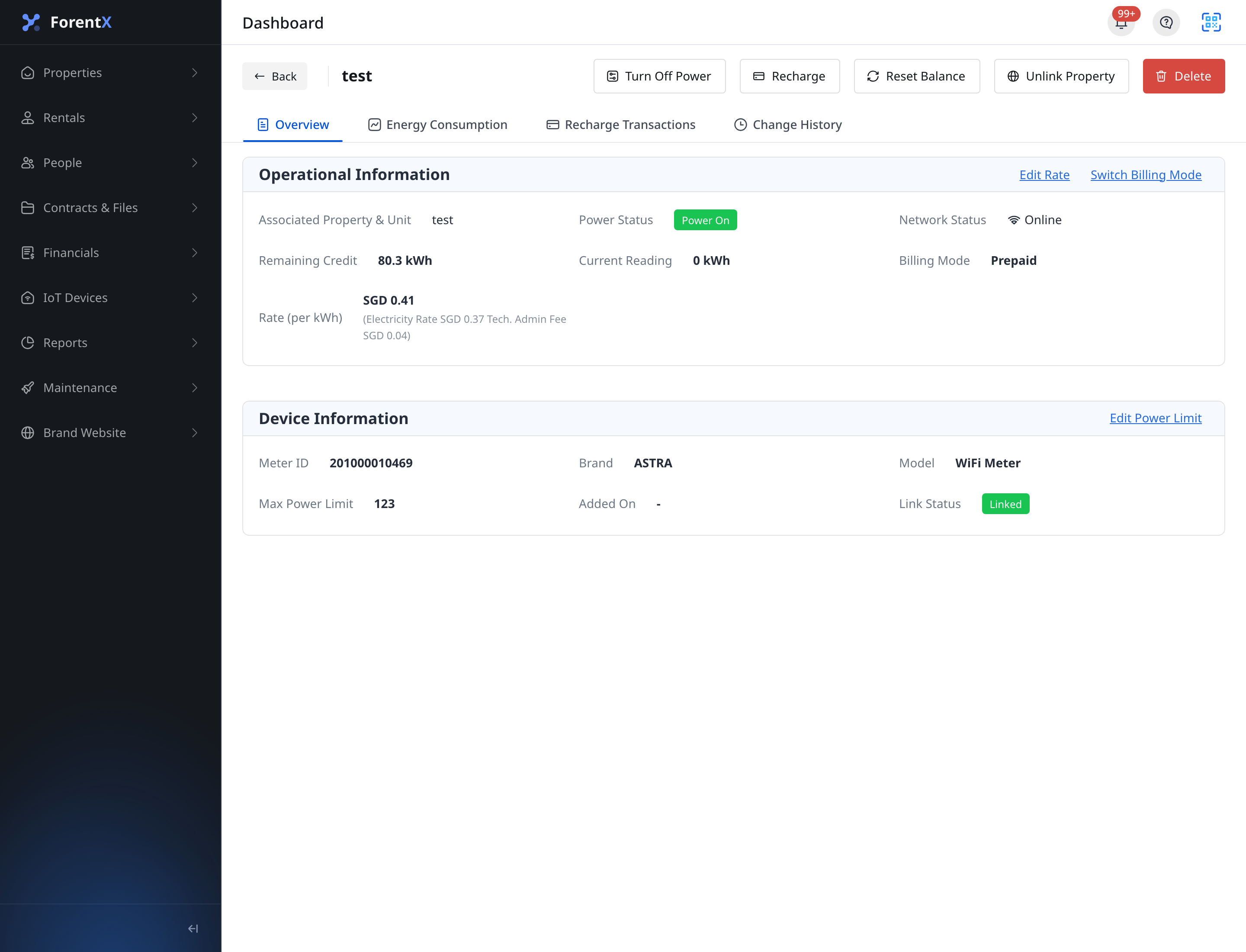
Step 2 Click [Reset Balance], then review the [Confirm Reset Meter Credit] dialog.
- The dialog tells you the remaining prepaid credit will be reset to zero.
- The dialog also warns that the action is permanent and cannot be undone.
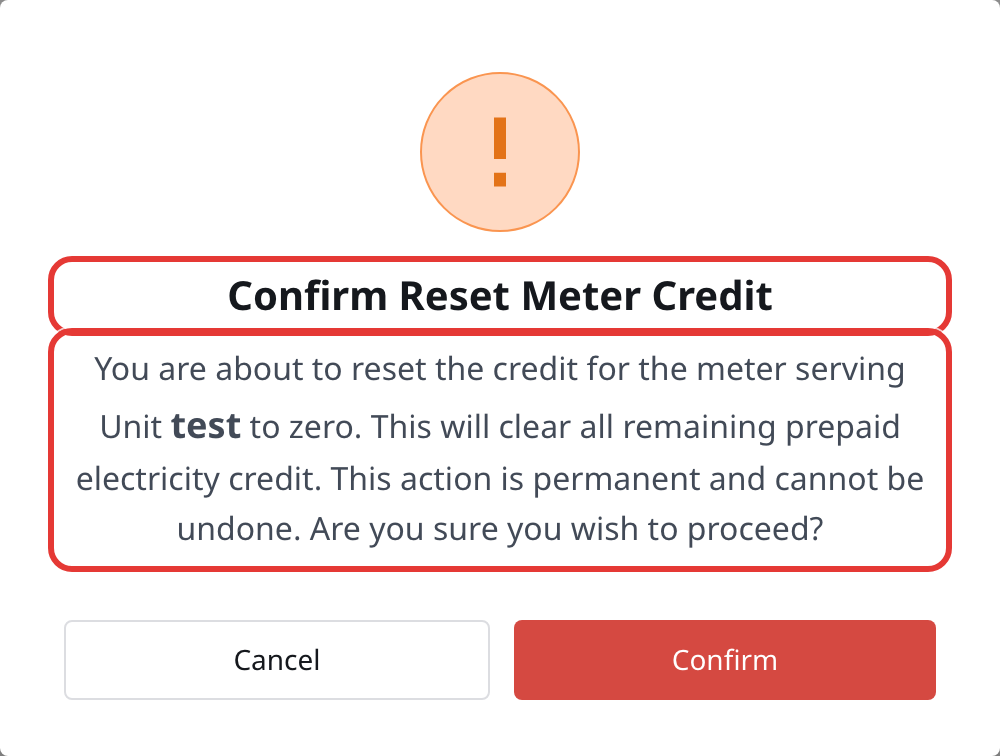
Step 3 Click [Confirm] to send the reset command.
- After a successful request, the detail page refreshes the latest meter data.
App
Step 1 Open [Meters], then go to the prepaid smart meter you want to reset. Use [Reset Balance] in the detail page action area.
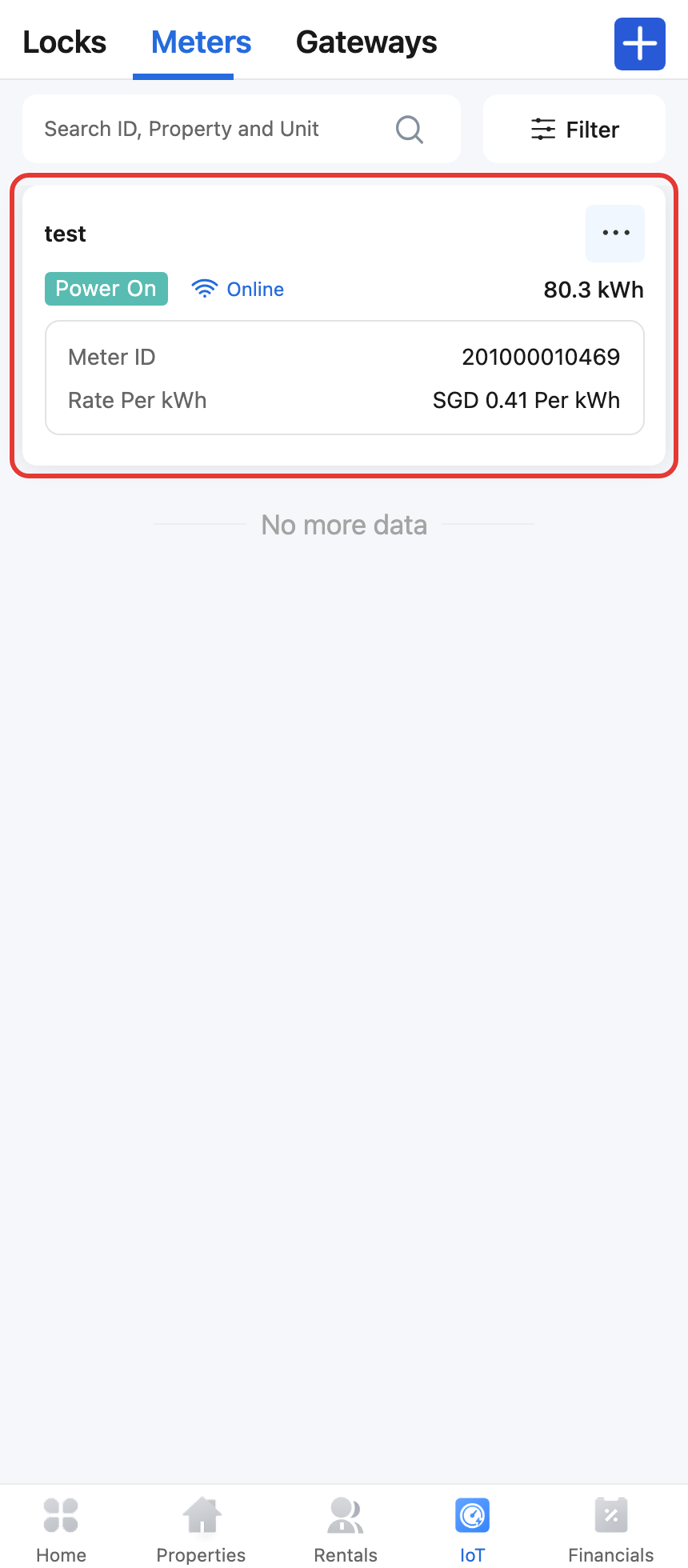
Step 2 Tap [Reset Balance], then review the confirmation dialog before you continue.
- The App confirmation is titled [Confirm Reset Meter Credit].
- Confirm only after you have checked the selected property or unit.
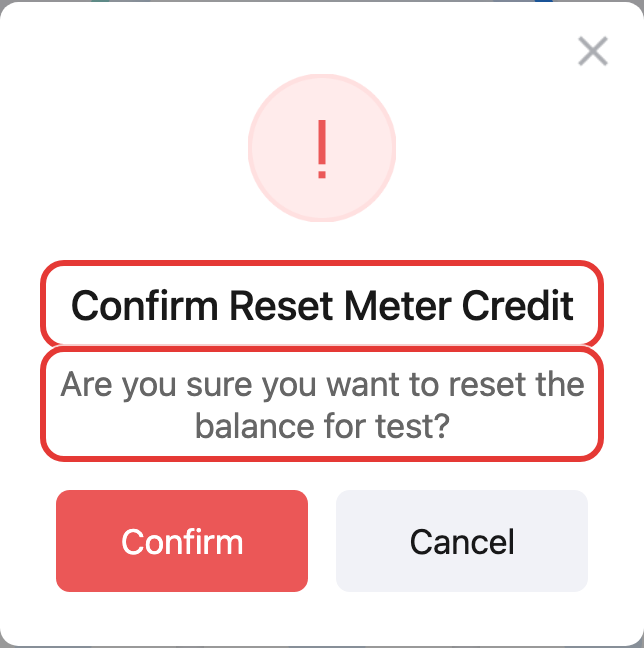
Step 3 Tap [Confirm] to submit the reset request.
Platform differences
| Topic | Web | App |
|---|---|---|
| Main entry | [IoT Devices] -> [Smart Meters] -> detail page | [IoT] -> [Meters] -> detail page |
| Confirmation copy | Explains that prepaid credit will be cleared to zero and cannot be undone | Shows a shorter meter-specific confirmation message before submit |
| Availability | The reset action follows the current Web eligibility rules for prepaid smart meters | The reset action is available from the prepaid meter detail action area |
Note:
- [Reset Balance] is for prepaid smart meters only.
- This action clears the remaining prepaid credit and cannot be undone.
- If you do not see [Reset Balance], first confirm that you opened a prepaid smart meter detail page.