How do I track the status of my work orders in the tenant app?
Use the [Services] tab in the Tenant App to check status tabs in [My Work Orders] and open [Order Details] for the current progress of a work order.
Entry:
- [Services]
Web
- Tenants do not track self-service work orders from the current Web flow.
App
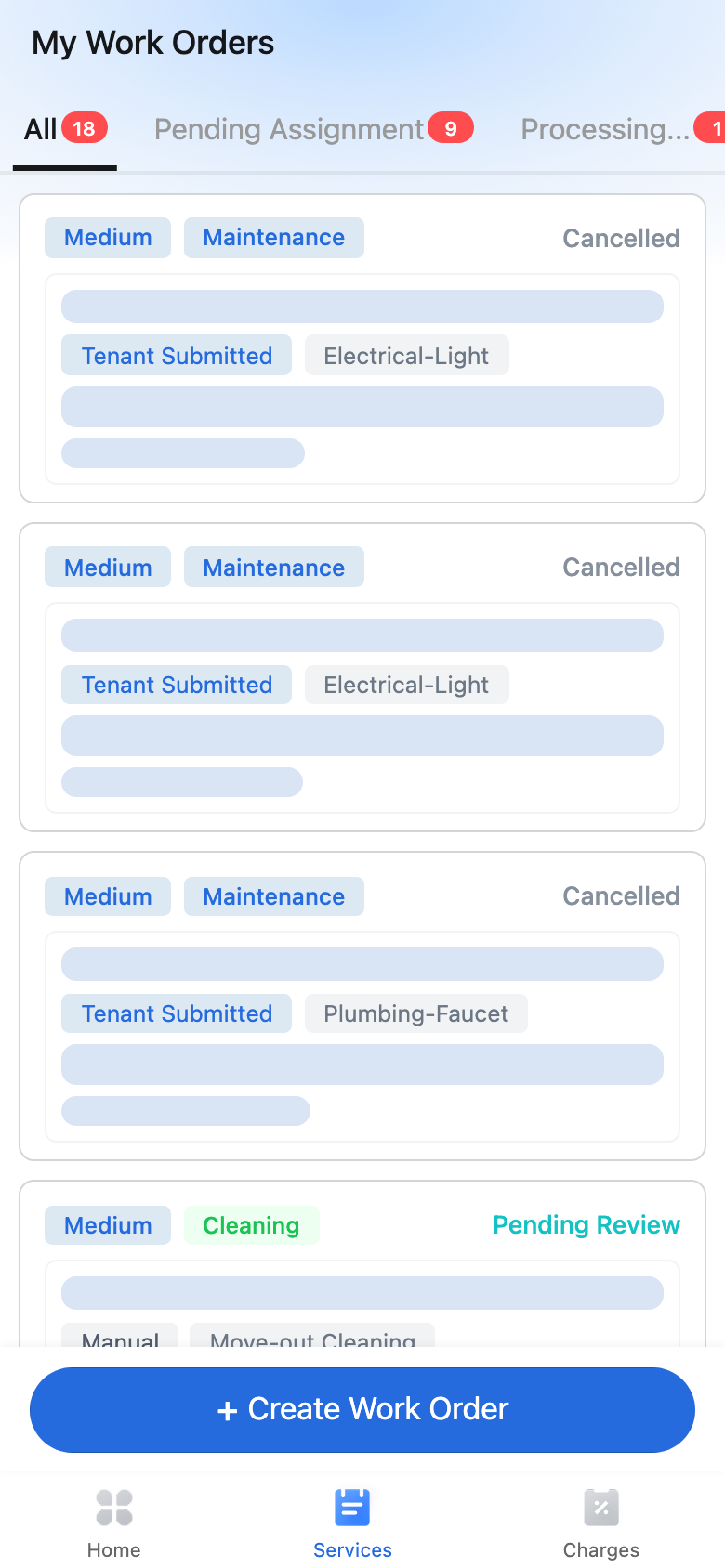
Open [My Work Orders]
- Sign in to the Tenant App.
- Tap [Services] in the bottom tab bar.
- Review [My Work Orders].
The current list shows these status tabs:
- [All]
- [Pending Assignment]
- [Processing...]
- [Pending Review]
- [Completed]
Each list card can show the priority, order type, current status, source, category or cleaning type, description, and created time.
Open [Order Details]
- Tap any work order in the list.
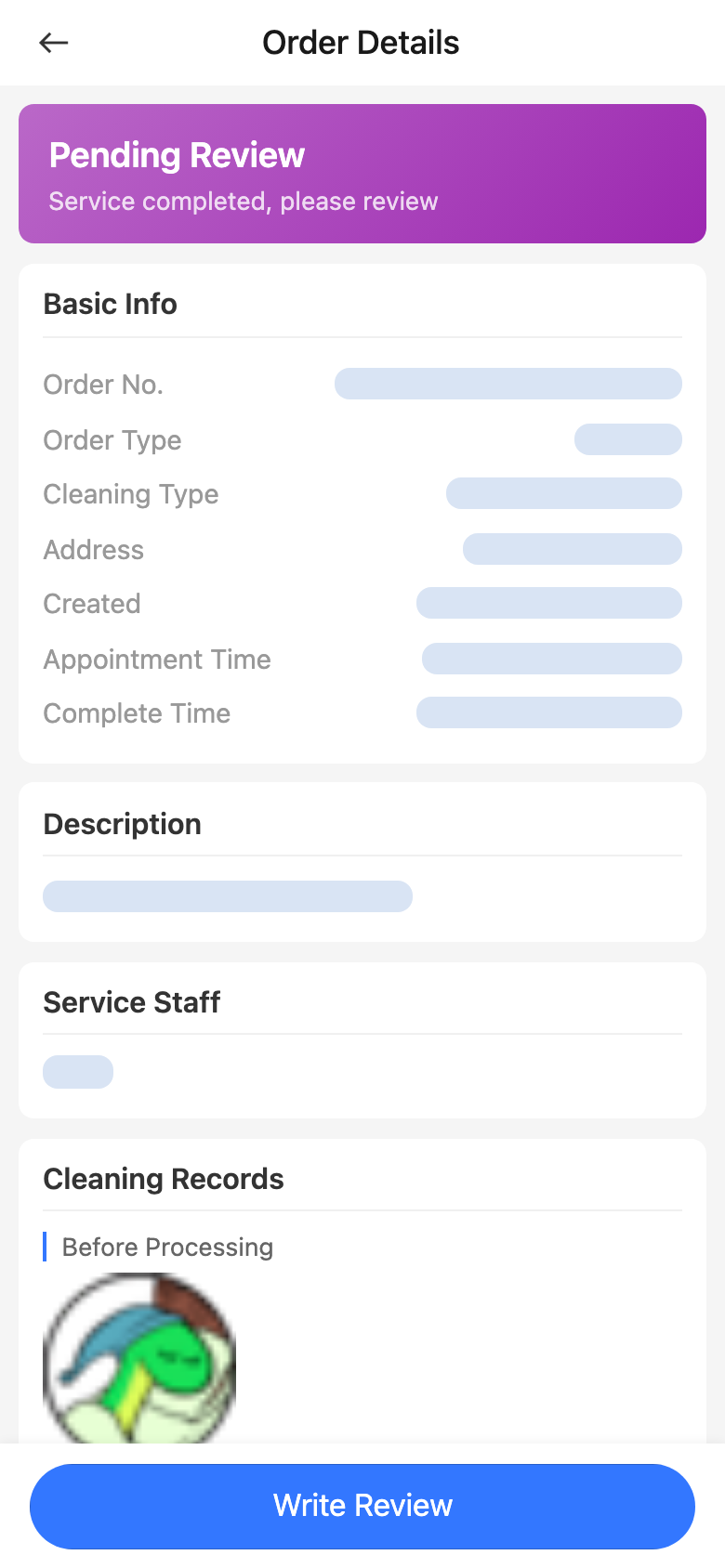
- On [Order Details], review the status card and the main information cards.
In the current detail page, you can review fields such as:
- [Order No.]
- [Order Type]
- [Repair Category] or [Cleaning Type]
- [Address]
- [Created]
- [Appointment Time]
- [Complete Time]
- [Description]
Platform differences
- Tenant work-order status tracking is currently available in the App.
- Web work-order pages belong to operator or service-staff workflows, not the tenant self-service status view.
Note:
- The bottom tab name is [Services], while the page title is [My Work Orders].
- [Pending Review] means the service has been completed and is waiting for your review or acceptance.
- In the current app behavior, a [Cancelled] work order still remains visible in the [Completed] terminal-state bucket.
- [Cancel] appears only for early statuses such as [Pending Assignment], [Pending Acceptance], and [Pending Start].