How do I download and log in to the ForentX Tenant App?
Download the app from your invitation or welcome flow, or open the current ForentX download page, then sign in on the tenant login page in the app.
Entry:
- Invitation or welcome flow -> [Download App]
- Current download page ->
https://www.forentx.com/#/download - Tenant app login page -> [Log in]
Web
- If you start from the tenant invitation or welcome flow, complete the activation steps first.
- In the current Web follow-up flow, after you save your details, the page offers [Download App] and opens
https://www.forentx.com/#/download. - Install the app on your device, then continue in the Tenant App.
App
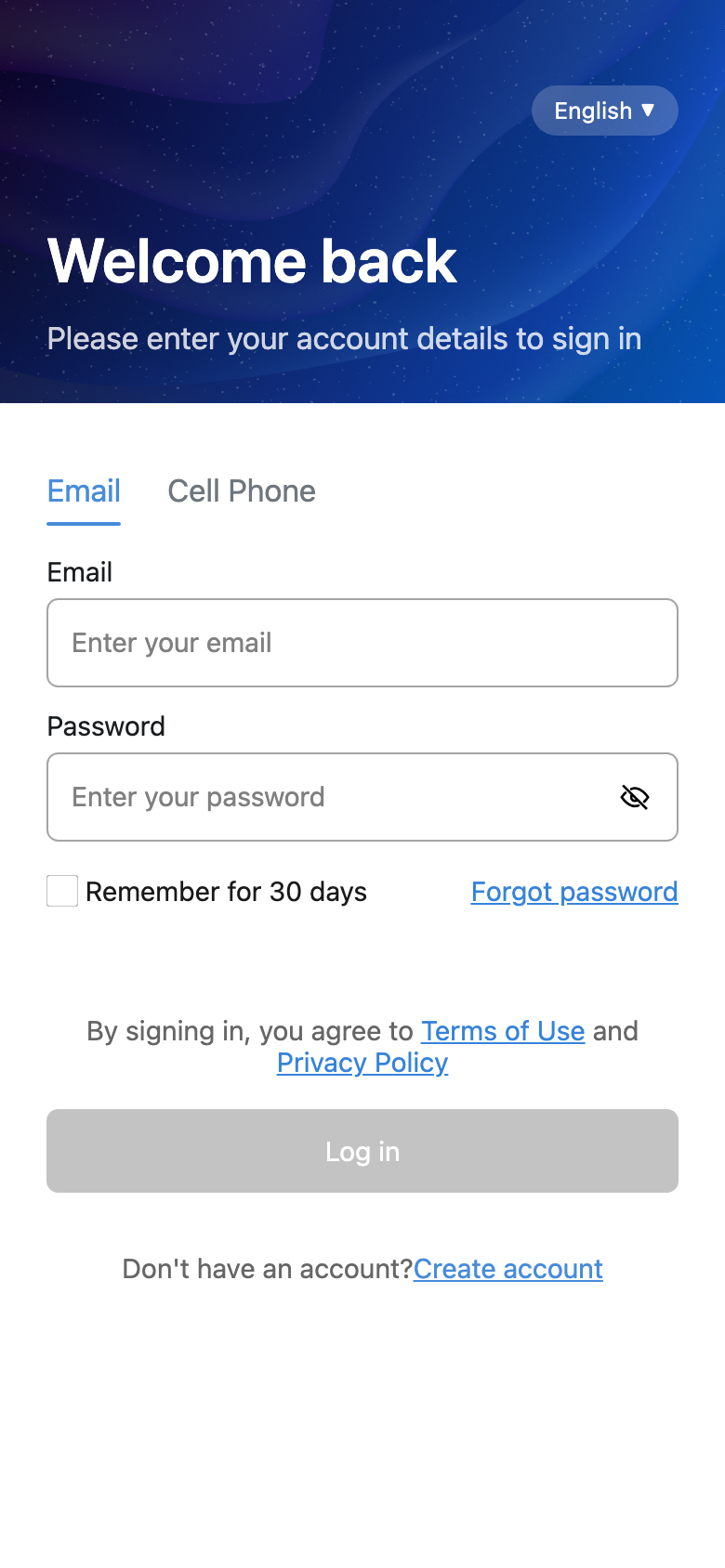
- Open the ForentX Tenant App.
- If needed, change the language from the top-right corner.
- Choose your sign-in type:
- [Email]
- [Cell Phone]
- Enter your account details:
- If you sign in by email, enter [Email]
- If you sign in by phone, enter [Cell Phone]
- Enter [Password]
- Tap [Log in].
- After the sign-in is accepted, the current tenant flow opens the tenant home with [Home], [Services], and [Charges].
Platform differences
- Web currently hands you off to the app download step from the invitation flow.
- The actual tenant sign-in and tenant home flow are in the App.
Note:
- If you have not set your password yet, finish the welcome email setup first.
- The current app still shows [Create account], but the tenant role notice says your operator usually creates the account for you and sends the invitation by email.
- If you forgot your password, use [Forgot password].