How do I renew an expiring landlord tenancy agreement?
Use [Landlord Tenancies] to renew the next term for a renewable landlord tenancy. The renewal setup is currently available on both Web and App.
Entry:
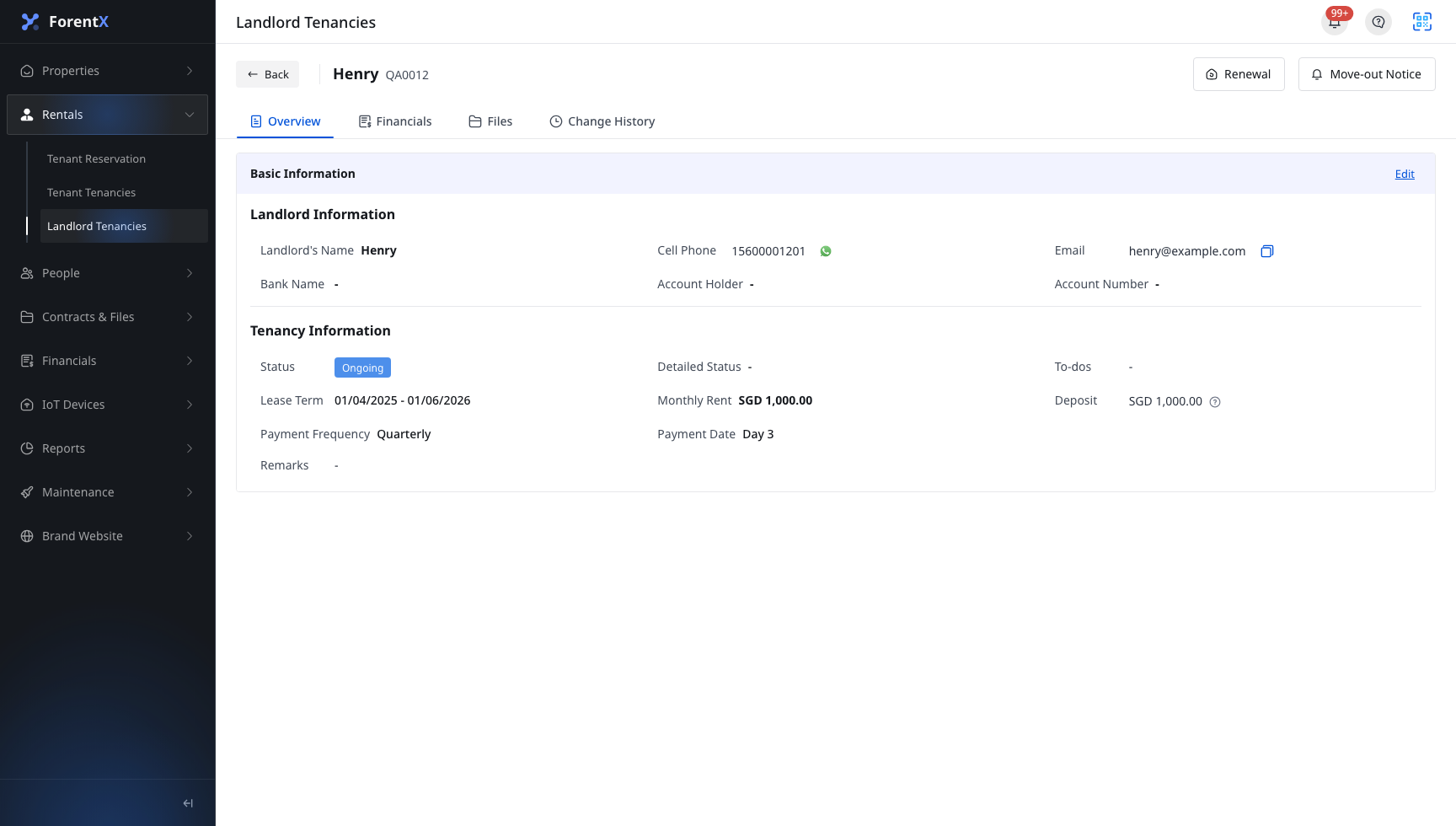
- Web: [Rentals] -> [Landlord Tenancies] -> open a landlord tenancy -> [Renewal]
- App: [Rentals] -> [Landlord Tenancies] -> [More Actions] -> [Renewal]
Web
Step 1
Open [Landlord Tenancies], then select the landlord tenancy you want to renew.
Step 2
On the landlord tenancy detail page, click [Renewal].
Step 3
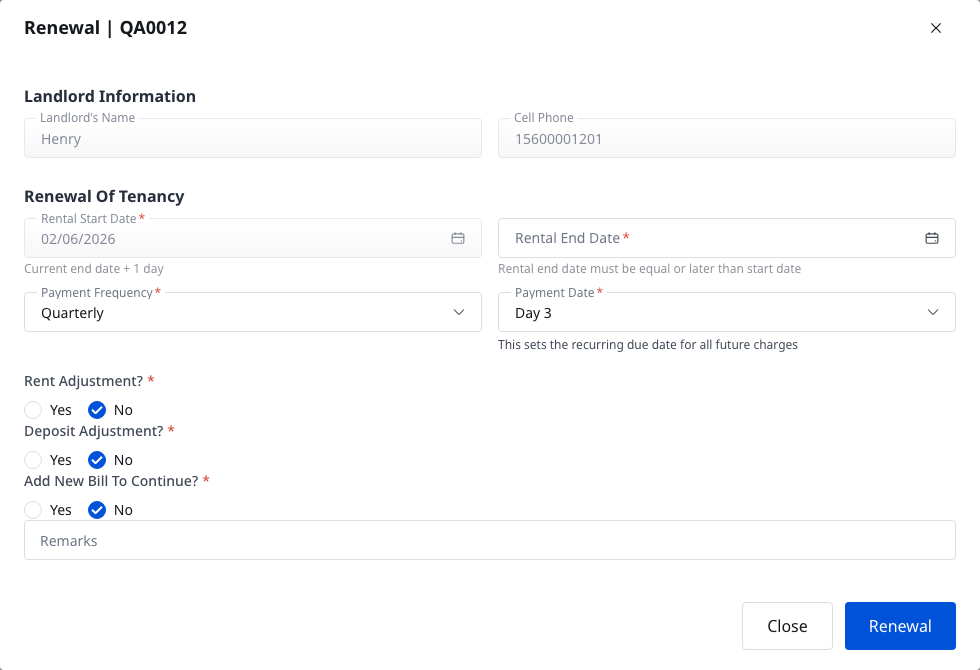
In the current renewal dialog, review and complete the fields for the next term:
- [Rental Start Date]
- [Rental End Date]
- [Payment Frequency]
- [Payment Date]
- [Rent Adjustment]
- [Deposit Adjustment]
- [Add New Bill To Continue]
- [Remarks]
Step 4
Submit the renewal after you confirm the new term and any rent or deposit changes.
App
Step 1
Open [Landlord Tenancies], then use the card's [More Actions] menu to tap [Renewal].
- The current App carrier exposes [Renewal] from the landlord tenancy list when the record is renewable.
- App opens a full-page renewal form instead of a dialog.
Step 2
Complete the next-term setup on the [Add Renewal] page.
- Review the landlord information at the top of the page.
- Complete [Rental Start Date], [Rental End Date], [Payment Frequency], [Payment Date], [Rent Adjustment], [Deposit Adjustment], [Add New Bill To Continue?], and [Remarks].

Step 3
Tap [Next] and continue until the renewal is ready to save.
Platform differences
| Topic | Web | App |
|---|---|---|
| Entry | Detail page [Renewal] | [Landlord Tenancies] card [More Actions] -> [Renewal] |
| Form presentation | Renewal dialog on the current page | Full-page [Add Renewal] form |
| Renewal fields | Next-term dates, payment settings, rent or deposit adjustment, bill continuation, remarks | Next-term dates, payment settings, rent or deposit adjustment, bill continuation, remarks |
Note:
- The new term starts after the current term ends. The system auto-fills the next start date based on the current tenancy.
- If the landlord tenancy is blocked or not renewable, the renewal action is not shown.