How do I process a Check-out for a landlord?
Process a landlord move-out on Web from [Rentals] -> [Landlord Tenancies]. The current App lets you view landlord tenancies and landlord details, but it does not expose a dedicated landlord move-out flow.
Entry:
- Web: [Rentals] -> [Landlord Tenancies]
Web
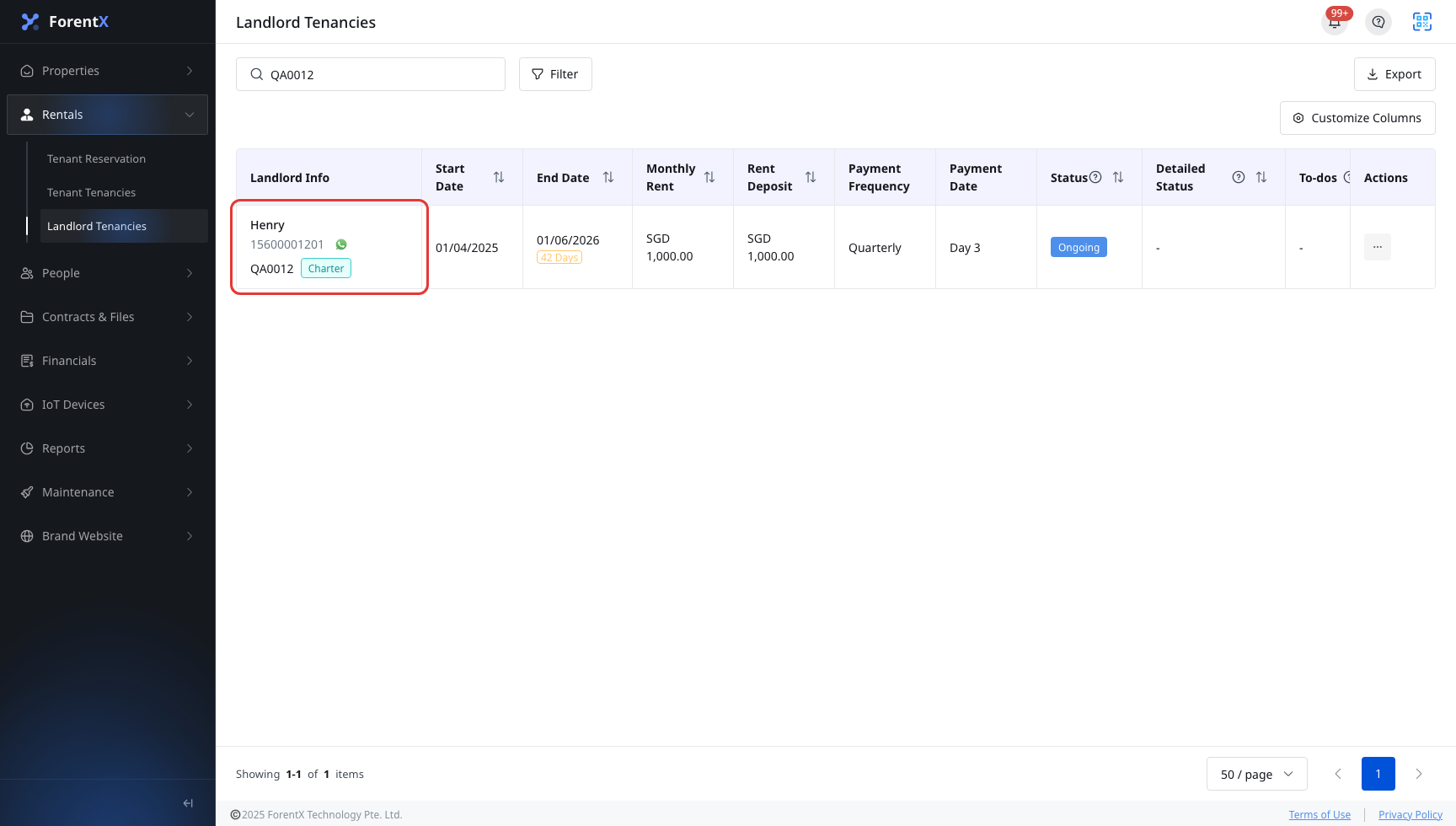
Step 1 Open [Landlord Tenancies], find the landlord tenancy you want to end, then open the row action menu.
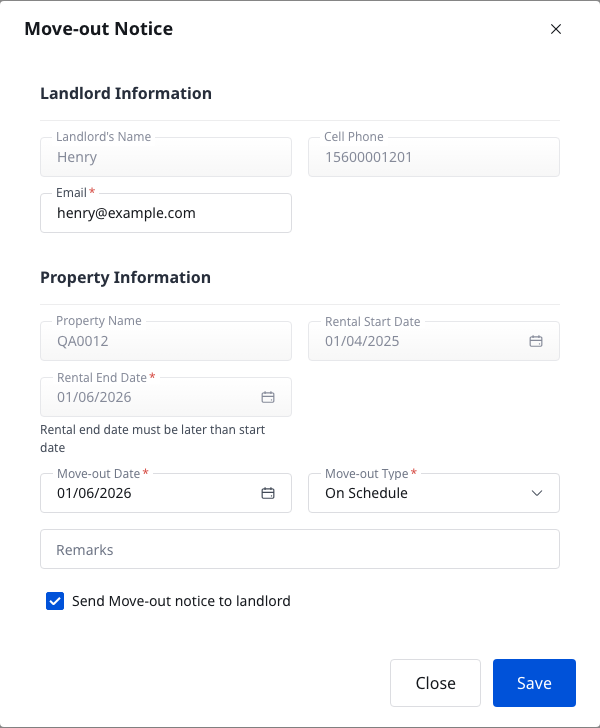
Step 2 If the action menu shows [Move-out Notice], open it first. Review the landlord and property details, set [Move-out Date] and [Move-out Type], then click [Save] when you are ready to notify the landlord.
Step 3 When [Move-out] is available, open the move-out flow. On [Move-out Details], confirm [Move-out Date], select [Move-out Type], choose [Reason For Move-out], and add [Move-out Remarks] only when needed.
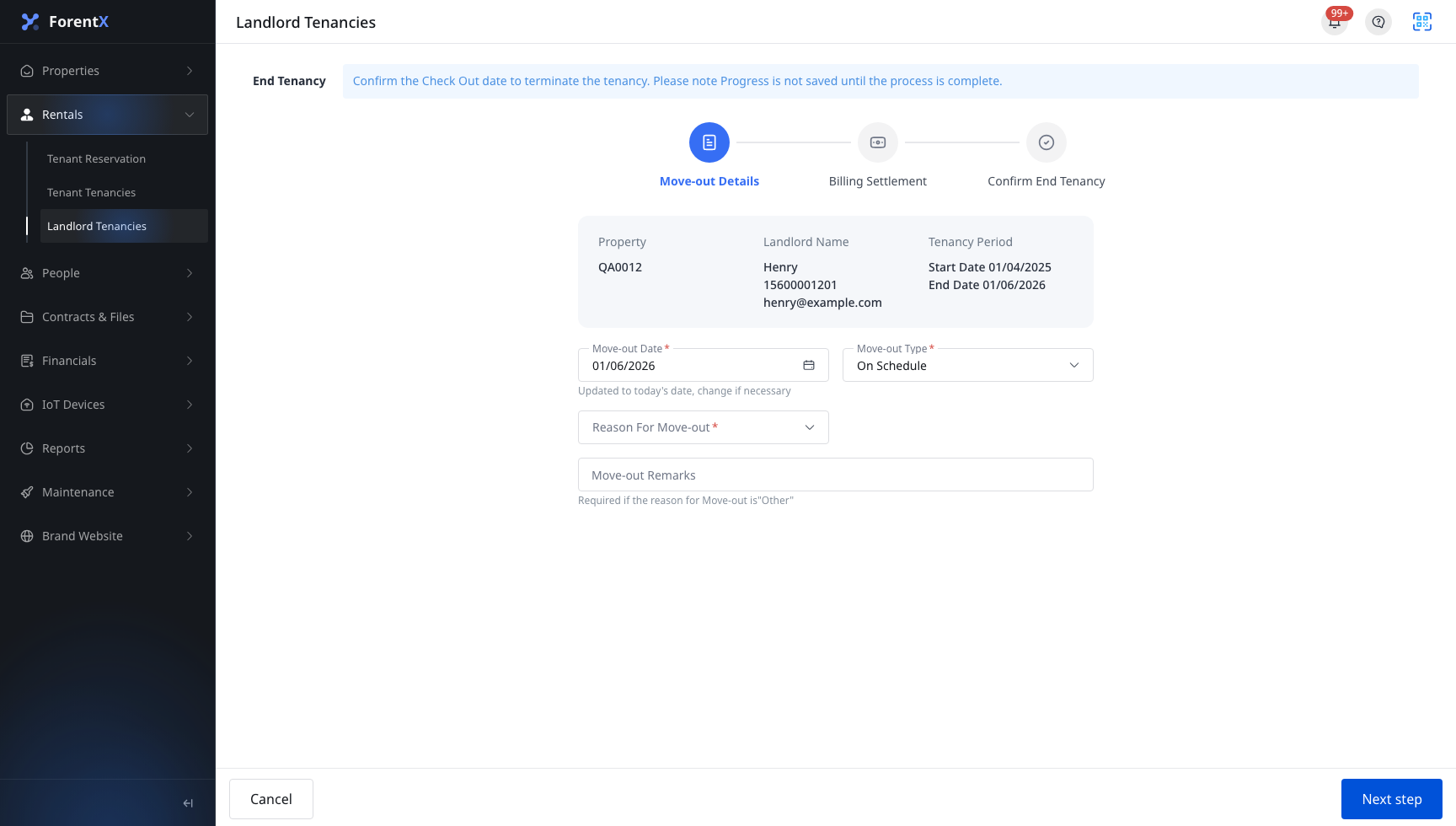
Step 4 Click [Next Step] to continue to [Billing Settlement]. Review any remaining outstanding bills, deposits, or settlement items before moving on.
Step 5 Click [Next Step] again to open [Confirm End Tenancy]. Review the final summary, decide whether to send the end-tenancy email, then click [Finish] only when you are ready to complete the landlord check-out.
App
The current App supports [Landlord Tenancies] list and [Landlord Details], but it does not expose a dedicated landlord move-out page or landlord move-out wizard. Use Web for the actual move-out operation.
Platform differences
| Topic | Web | App |
|---|---|---|
| Move-out entry | [Landlord Tenancies] row action menu with [Move-out Notice] and [Move-out] | No dedicated landlord move-out entry in current App routes |
| Guided flow | [Move-out Notice] dialog, then the 3-step [Move-out] flow | List and detail viewing only |
| Settlement review | [Billing Settlement] inside the move-out flow | Settlement details only after the landlord tenancy is already ended |
Note:
- The current move-out action is stateful. If the property still has active or reserved room leases, Web blocks the move-out notice and move-out flow.
- On the current Henry QA0012 sample,
houseId=2406passes the current gate withleaseRoomCount=0andreserveRoomCount=0. - Progress is not saved until the move-out flow is completed.