How do I split a charge into installment charges?
Use [Split Charge] in [Financials] -> [Charges] to divide one eligible charge into smaller installment charges. The current split flow is available on Web only.
Entry:
- Web: [Financials] -> [Charges]
- App: No [Split Charge] entry. The current App only supports [Charges] list, filters, and [Charges Details].
Web
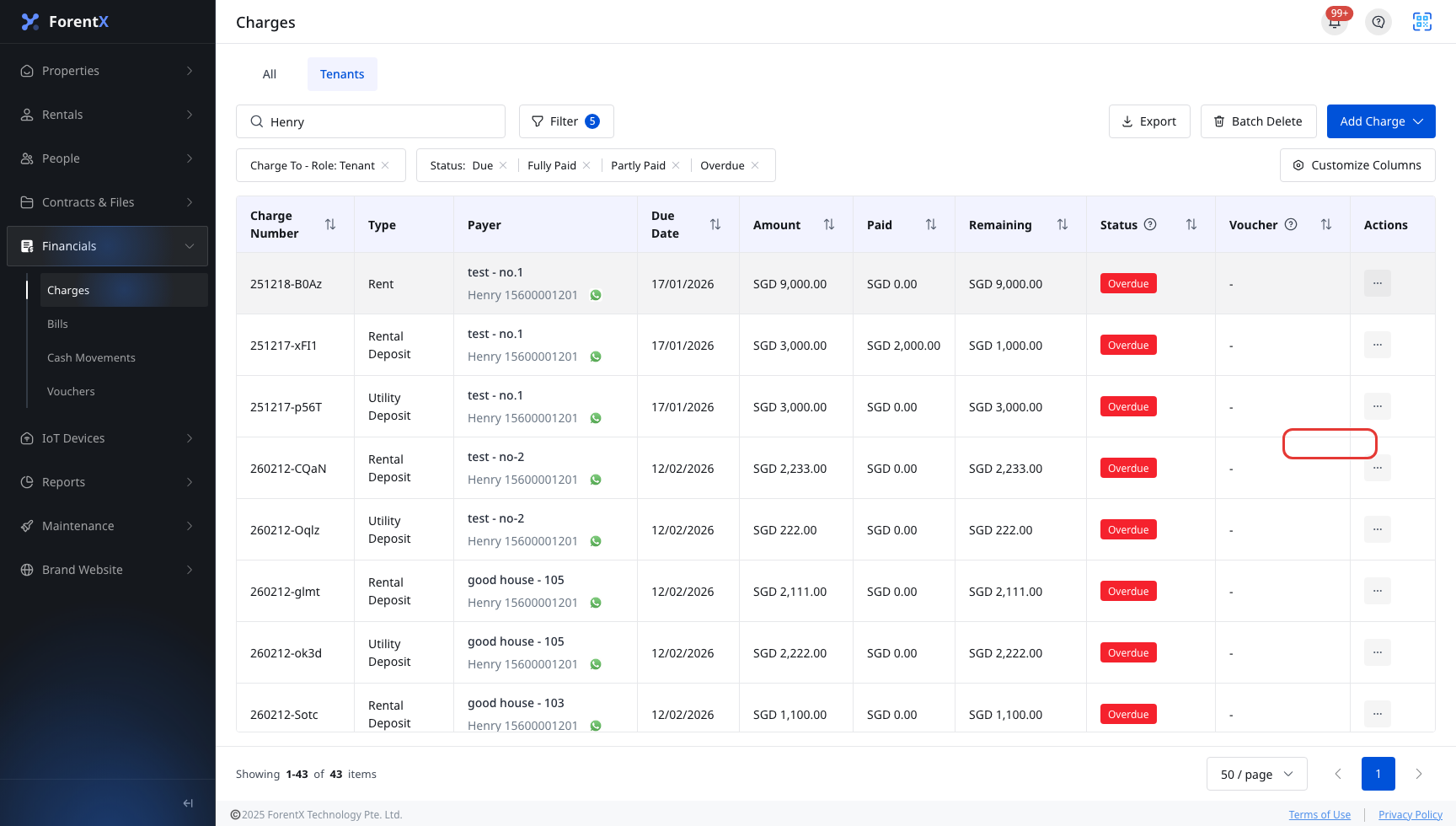
Step 1 Open [Charges], find the unpaid charge you want to split, open the row [Actions] menu, then click [Split Charge].
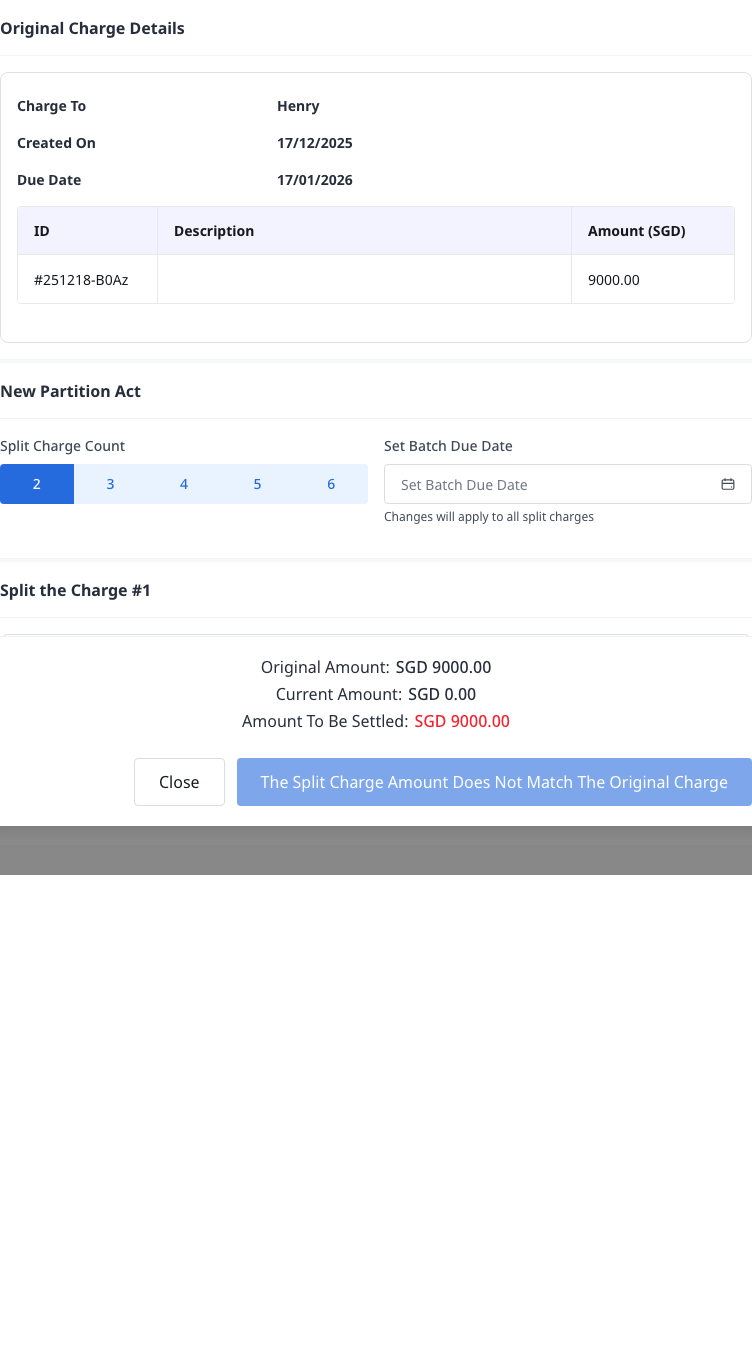
Step 2 In [Split Charge], first review [Original Charge Details], then set up the split plan:
- Choose [Split Charge Count]. The current dialog supports 2, 3, 4, 5, or 6 split charges.
- If every split charge should use the same due date, fill [Set Batch Due Date]. The date is applied to all generated split sections.
Step 3 Complete each generated split section, then submit the split:
- Keep or adjust [Due Date] for each split charge
- Enter the required [Description]
- Enter the required [Amount]
- Check [Current Amount] and [Amount To Be Settled]
- When the total matches the original charge amount, click [Split Charge]
App
The current App does not support splitting a charge.
You can still use the App to review the charge in [Financials] -> [Charges] and [Charges Details], including the overview, [Charge Record], and [Uploaded Files], but there is no [Split Charge] action, split count selector, batch due date field, or split form.
Platform differences
| Topic | Web | App |
|---|---|---|
| Split entry | [Charges] row [Actions] -> [Split Charge] | Not supported |
| Split setup | [Split Charge Count] and [Set Batch Due Date] | Not supported |
| Split form | Per-split [Due Date], [Description], and [Amount] | Not supported |
| After submit | The [Charges] list refreshes after a successful split | Not supported |
Note:
- [Split Charge] is only available when the charge is still editable and unpaid.
- The current Web code hides this action for partly paid or fully paid charges, completed deposit charges, and REFUND / OFFSET type charges.
- The [Split Charge] button stays disabled until the total of all split amounts matches the original charge amount exactly.