How do I record a payment for a bill?
Use [Record Payment] in [Financials] -> [Bills] when you need to log a payment against an existing bill. This action is currently available on Web.
Entry:
- Web: [Financials] -> [Bills]
- App: Open [Financials] -> [Bills] to view the bill list, bill details, and [Payment Record] only. App does not provide [Record Payment].
Web
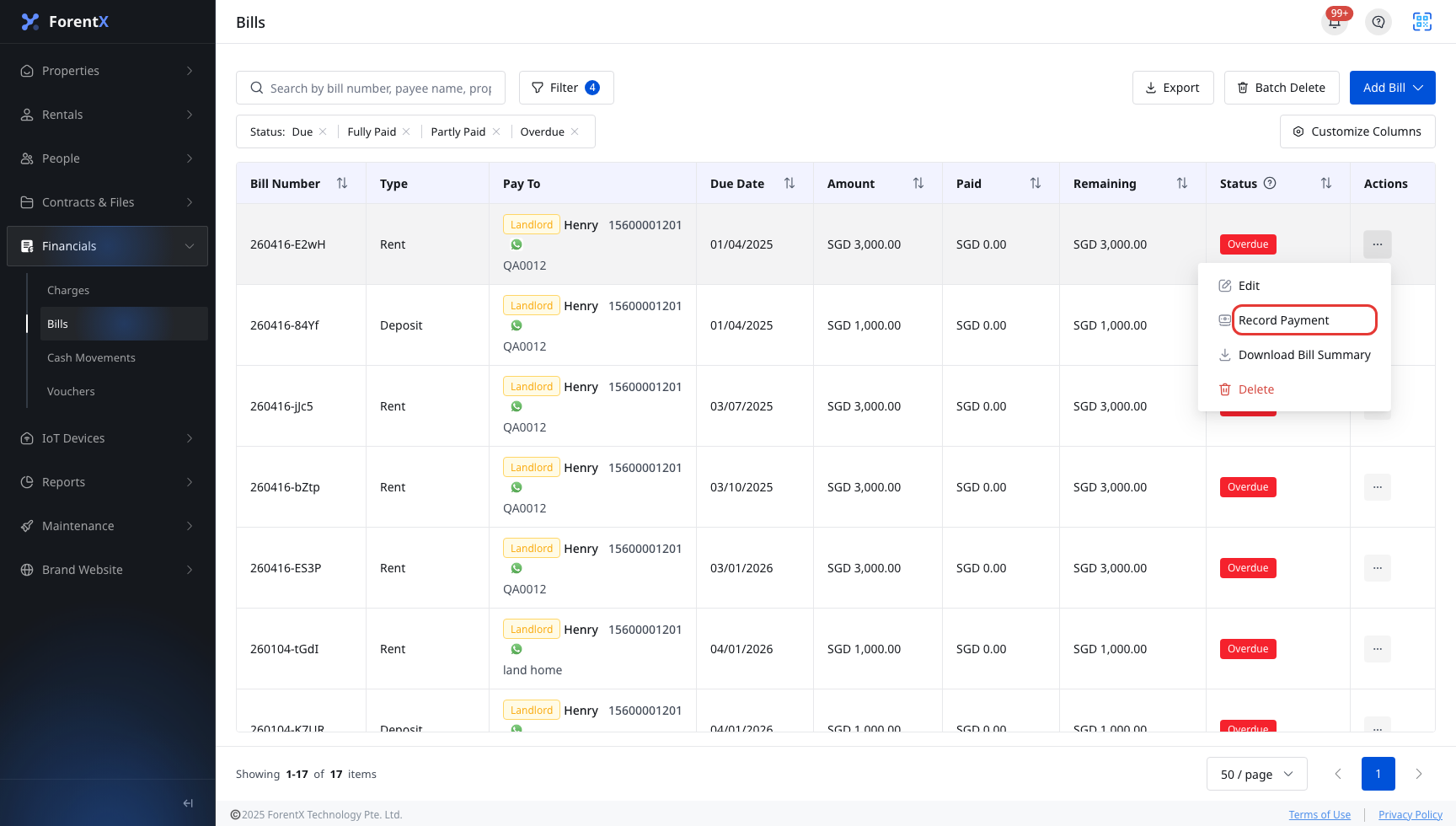
Step 1 Open [Bills]. Find the bill you want to pay, open the row action menu, and click [Record Payment].
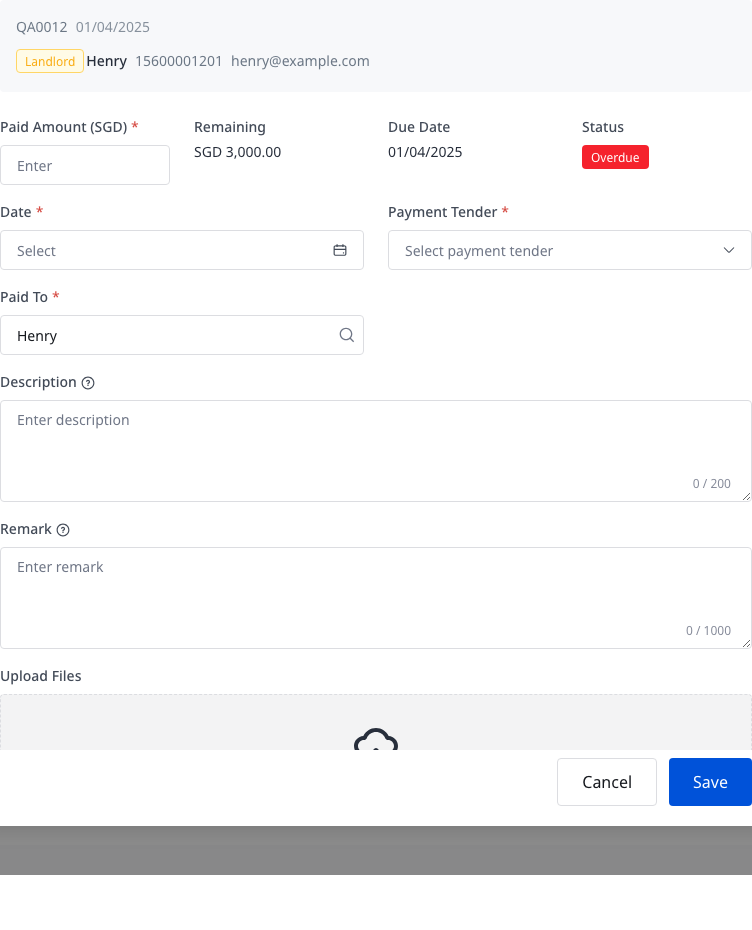
Step 2 In [Record Payment #BillNumber], complete the payment details.
- Confirm [Paid Amount]
- Review [Remaining], [Due Date], and [Status]
- Select [Date]
- Choose [Payment Tender]
- Confirm [Paid To]
- Add [Description], [Remark], or [Upload Files] if needed
Step 3 Click [Save].
Step 4 After the payment is saved, the [Bills] list refreshes and the bill updates its [Paid] and [Remaining] values.
Step 5 If you need to trace the related outgoing movement, open [Financials] -> [Cash Movements] -> [Disbursements]. Current code also shows a success confirmation with [View Payment Record], which takes you to the related disbursement list.
App
App currently supports the bill follow-up flow after a payment already exists:
- View the [Bills] list
- Filter bills
- Open bill details
- Open the [Payment Record] tab inside bill details
App does not currently provide the [Record Payment] action, the payment dialog, or the save flow used on Web.
Platform differences
| Topic | Web | App |
|---|---|---|
| Entry | [Financials] -> [Bills] | [Financials] -> [Bills] for list and detail only |
| Record payment action | Supported from the row action menu | Not supported |
| Form presentation | Modal dialog opened from the bill row | No payment entry form |
| After payment is saved | Updates the bill and links to the related disbursement record | You can view existing payment history only |
Note:
- The current [Record Payment] action is inside the row action menu, not a separate button outside the row.
- [Description] is visible on the bill summary, while [Remark] stays internal.
- Reversing a saved bill payment is a separate Web flow under [Cash Movements] -> [Disbursements].