How do I process an early termination for a tenant?
Use [Early Termination] when you and the tenant have agreed to end the tenancy before the current rental end date.
Entry:
- Web: [Rentals] -> [Tenant Tenancies] -> open the tenancy -> [Move-out Notice]
- App: The current App does not provide the same [Move-out Notice] / [Check Out] flow for tenant early termination.
Web
Step 1 Open the tenancy you want to end, then select [Move-out Notice]. In the current Web flow, you can open this action from the tenancy row menu or from the action bar inside [Tenant Detail].
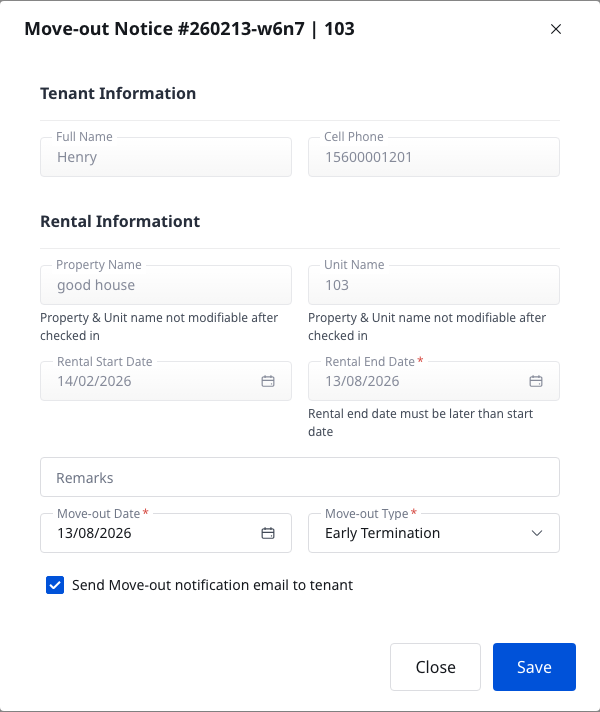
Step 2 In the [Move-out Notice] dialog, review the move-out information and set the notice details:
- [Move-out Date]
- [Move-out Type]
- [Remarks], if needed
- [Send Move-out notification email to tenant], if you want the tenant to receive the email immediately
Choose [Early Termination] for [Move-out Type], then select [Save]. After the notice is saved, the tenancy actions change to [Cancel Move-out Notice] and [Move-out].
Step 3 Select [Move-out] when you are ready to finish the tenancy. The current Web flow opens [End Tenancy].
Step 4 Complete the 3 stages in [End Tenancy] in order:
- [Move-out Details]
- [Billing Settlement]
- [Confirm End Tenancy]
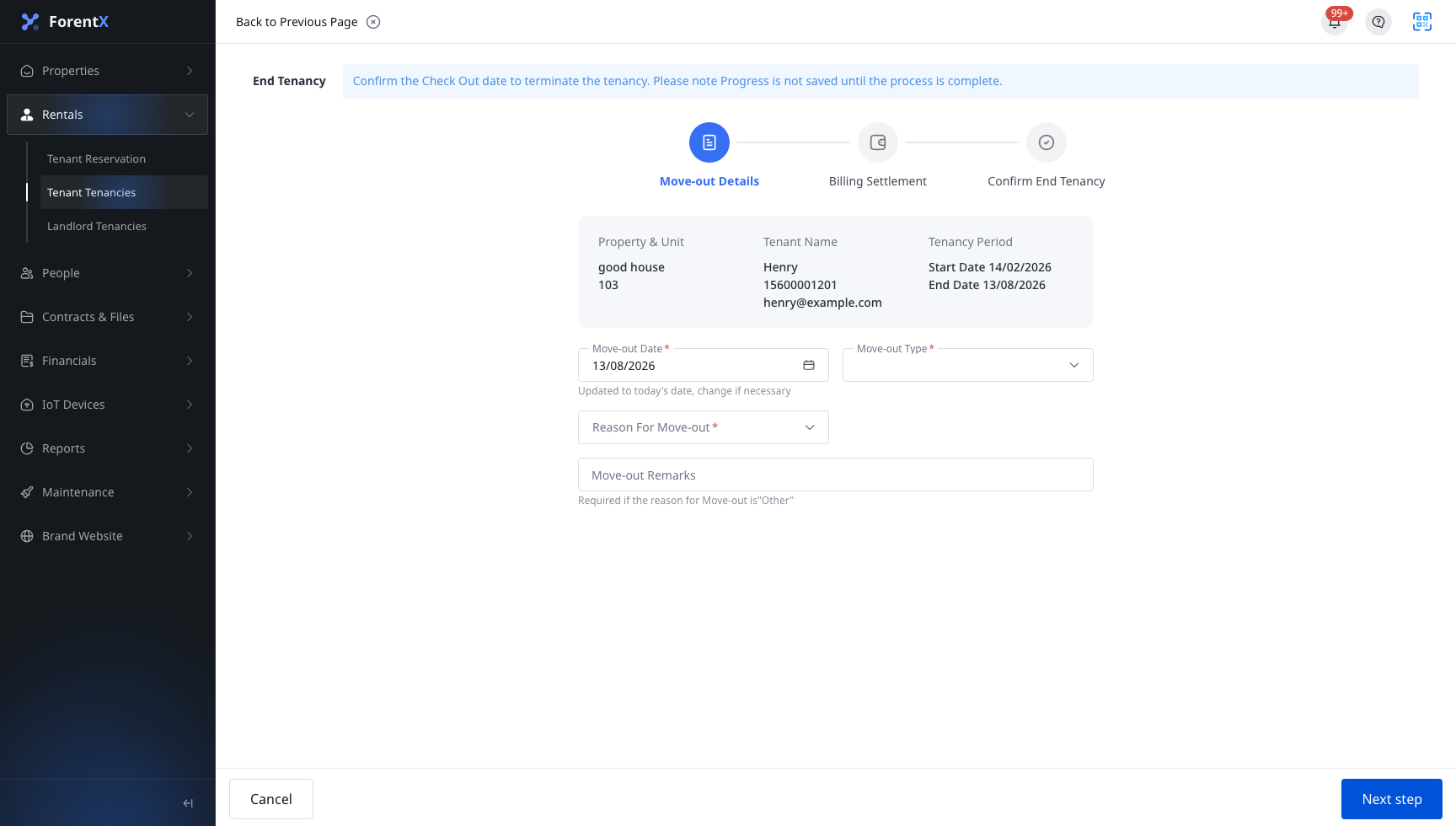
Step 5 Review the final settlement and confirmation summary, then finish the move-out. After submission, the tenancy moves to [Ended], and the detailed status becomes [Early Termination]. You can then open [Ended Tenancy Details] for the final record.
App
The current App does not provide the same early-termination path from [Tenant Tenancies]. The current App does not show [Notice], [Check Out], or [Edit Check Out Reason] actions in the tenancy list, and its remaining check-out notice surface does not provide a [Move-out Type] field. Use Web when you need to record an [Early Termination].
Platform differences
- Web supports the full early-termination workflow: notice, [Move-out Type], billing settlement, and final confirmation.
- App currently does not provide the matching initiation path or [Move-out Type] selection for tenant early termination.
Note:
- The current product does not auto-detect [Early Termination] from the date alone. You must choose the correct [Move-out Type] manually.
- If you saved the notice by mistake, use [Cancel Move-out Notice] before you start the final [Move-out] flow.
- After the move-out is completed, use [Ended Tenancy Details] to review the final tenancy record.