How do I find and view my landlord tenancy agreements?
Use [Landlord Tenancies] to search landlord agreements and open the current detail view from one place. Web and App both support the list and detail pages, but the list layout and filter flow are different.
Entry:
- Web: [Rentals] -> [Landlord Tenancies]
- App: [Rentals] -> [Landlord Tenancies]
Web
Search and filter the landlord tenancy list Open [Landlord Tenancies]. On Web, the search box supports landlord name, cell phone, and property. Click [Filter] when you need more conditions.
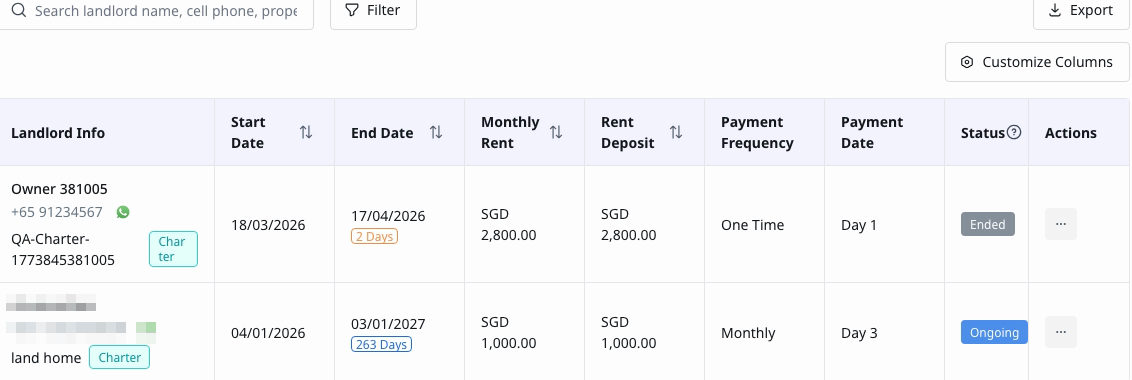
In the current Web drawer, you can filter by:
- [Tenancy will expire on]
- [Contract Begin Date]
- [Contract End Date]
- [Payment Date]
- [Status]
- [Detailed Status]
- [To-dos]
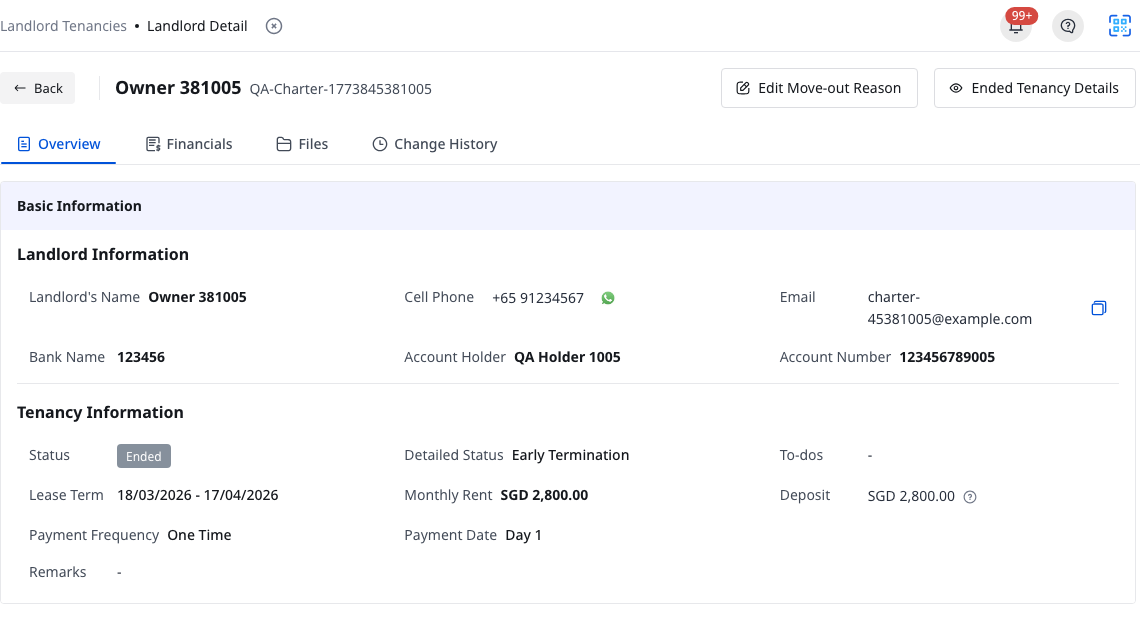
Open the agreement detail page Click the landlord tenancy row you want to review. On the current detail page, use these tabs to inspect the record:
- [Overview]
- [Financials]
- [Files]
- [Change History]
If the agreement is already ended, the header also shows [Ended Tenancy Details].
App
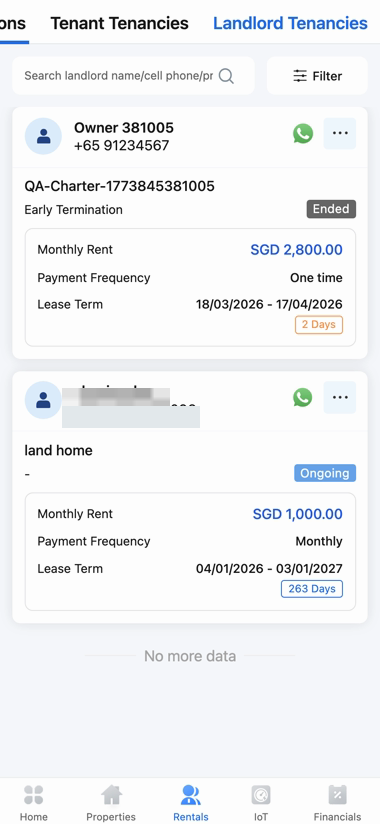
Open the landlord tenancy card list Open [Rentals] and switch to the [Landlord Tenancies] tab. The App list uses the same landlord name, cell phone, and property search scope, but shows each agreement as a card.
Use the filter page and open a detail card Tap [Filter] to open the dedicated App filter page. The current App filter page includes:
- [Tenancy will expire on]
- [Contract Begin Date]
- [Contract End Date]
- [Payment Date]
- [Status]
- [Detailed Status]
- [To-dos]
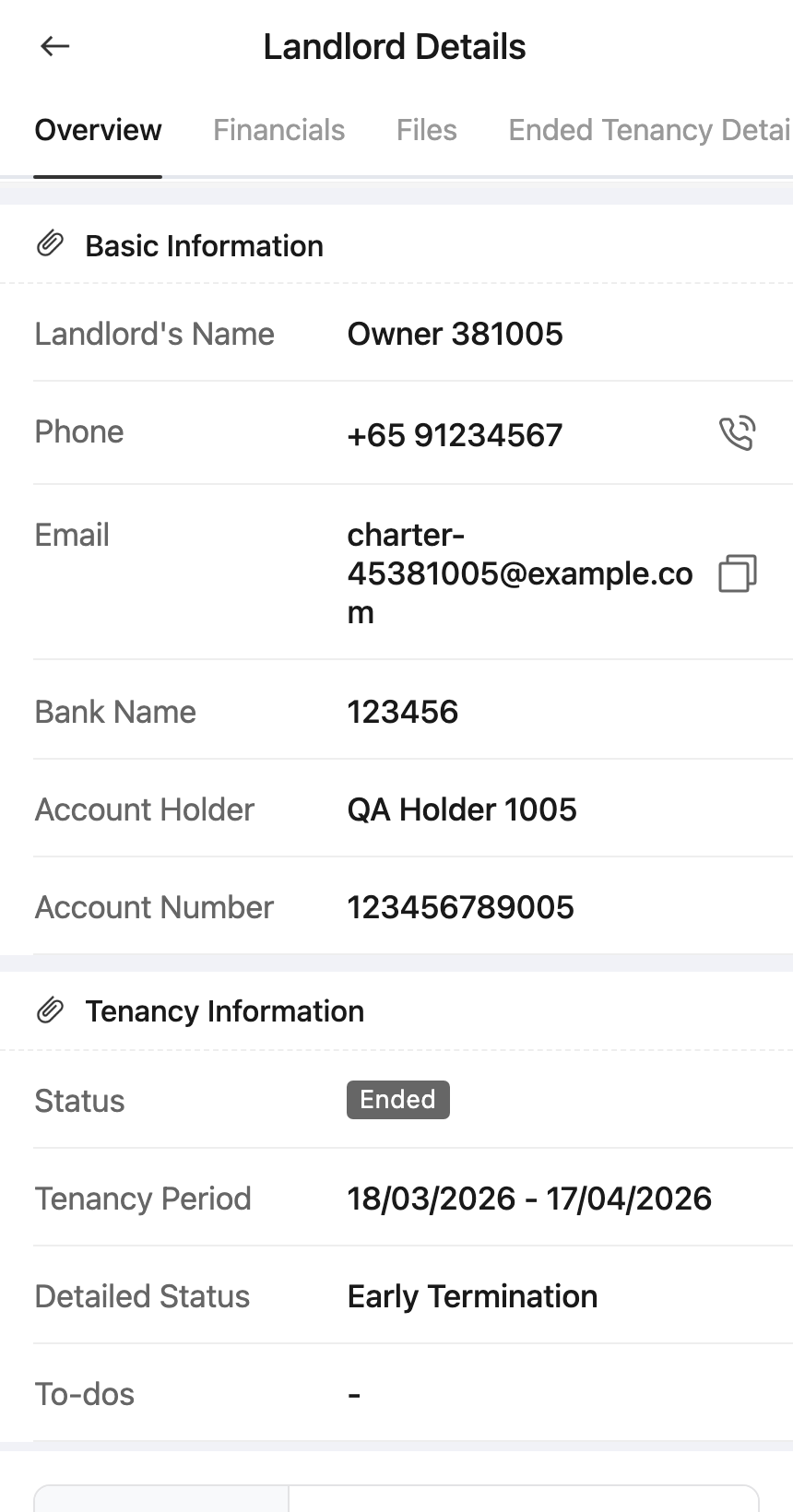
Tap a landlord tenancy card to open [Landlord Details]. On the current detail page, use:
- [Overview]
- [Financials]
- [Files]
- [Change History]
If the agreement is already ended, the App detail page also shows [Ended Tenancy Details].
Platform differences
| Topic | Web | App |
|---|---|---|
| Entry | [Rentals] -> [Landlord Tenancies] | [Rentals] -> [Landlord Tenancies] |
| List layout | Table with search, [Filter], [Export], and [Customize Columns] | Card list with search and a dedicated [Filter] page |
| Filter UI | Drawer on the list page | Separate filter page |
| Detail tabs | [Overview], [Financials], [Files], [Change History] | [Overview], [Financials], [Files], [Change History] |
| Ended agreement view | Header action [Ended Tenancy Details] | Detail tab [Ended Tenancy Details] |
Note:
- Search currently matches landlord name, cell phone, and property on both Web and App.
- The App more menu and edit-related actions depend on your [Landlord Tenancies] permissions.
- [Ended Tenancy Details] only appears when the selected landlord tenancy is already ended.