How do I centrally manage all my rental units?
Use [All Units] to review unit records across all properties from one place. The centralized list lets you search, filter, open unit details, and start common unit actions on Web and App.
Entry:
- Web: [Properties] -> [All Units]
- App: [Properties] -> [All Units]
Web
Review the centralized list Open [All Units] to review unit names, rent, deposits, unit labels, ownership, status, occupancy status, detailed status, and smart-device status in one table.
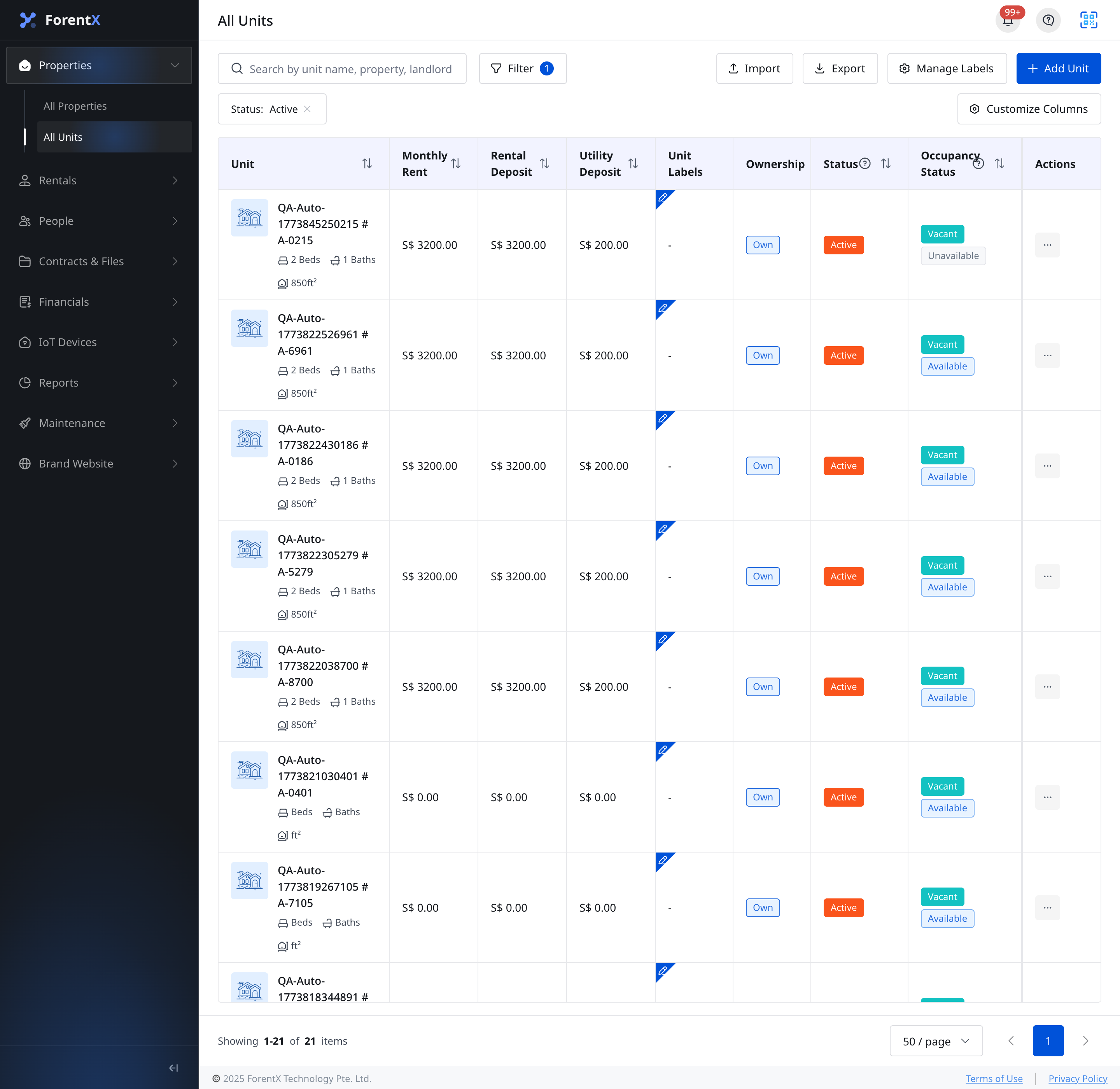
Use page-level actions From the top of the list, you can:
- Search by unit name, property, or landlord
- Apply filters for [Status], [Occupancy Status], [Detailed Status], [Listing Availability], [Smart Devices], [Ownership], [Landlord], [Property], [Unit Labels], and rent range
- Use [Import], [Export], [Manage Labels], [Add Unit], and [Customize Columns]
Open a unit or use row actions From each row, you can:
- Open the unit to enter [Unit Detail]
- Use row actions such as [Edit], [Deactivate], [Activate], [Delete], or [Restore] when that action is available for the current unit state
App
Review the centralized list Open the [All Units] tab in [Properties] to review unit cards across all properties. Each card shows the unit number, property name, detailed status, listing availability, occupancy status, rent, basic specs, and smart-device section.
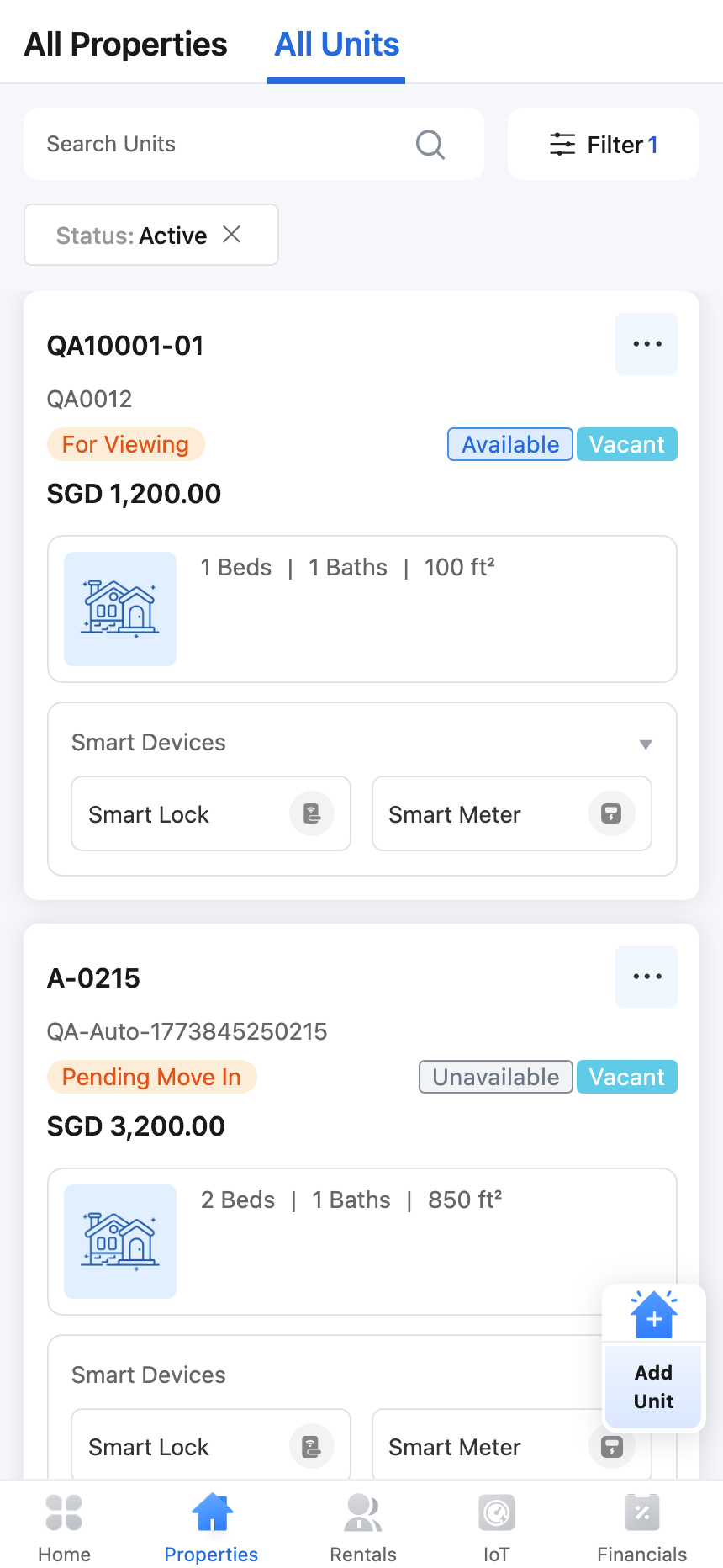
Use mobile list actions From the App list, you can:
- Search units and apply list filters
- Tap a unit card to open [Unit Detail]
- Tap [Add Unit] from the floating action button
- Open the more menu on a unit card to use actions such as [Edit], [Deactivate], [Activate], [Delete], [Restore], [Edit Tags], or [Update Detailed Status], depending on the unit state and your permissions
Platform differences
| Topic | Web | App |
|---|---|---|
| Entry | [Properties] -> [All Units] | [Properties] -> [All Units] |
| List presentation | Table with customizable columns | Mobile card list |
| Page-level actions | [Import], [Export], [Manage Labels], [Add Unit], [Customize Columns] | Search, filter, floating [Add Unit] |
| Tag management | Central [Manage Labels] plus row actions | Per-unit [Edit Tags] in the more menu |
| Import / Export | Supported | Not available |
Note:
- Available actions change with the unit's current status and your permission.
- If you need to manage one record in more detail, open that unit's [Unit Detail] page.
- Web and App use the same underlying unit records, but the controls are arranged differently for desktop and mobile.