How do I reverse a recorded payment if I made a mistake?
Use [Disbursements] when you need to reverse an outgoing payment that was already recorded by mistake. This direct reverse flow is currently available on Web only.
Entry:
- Web: [Financials] -> [Cash Movements] -> [Disbursements]
- App: Open [Financials] -> [Payments] -> [Disbursements] to view existing records only. App does not provide [Reverse].
Web
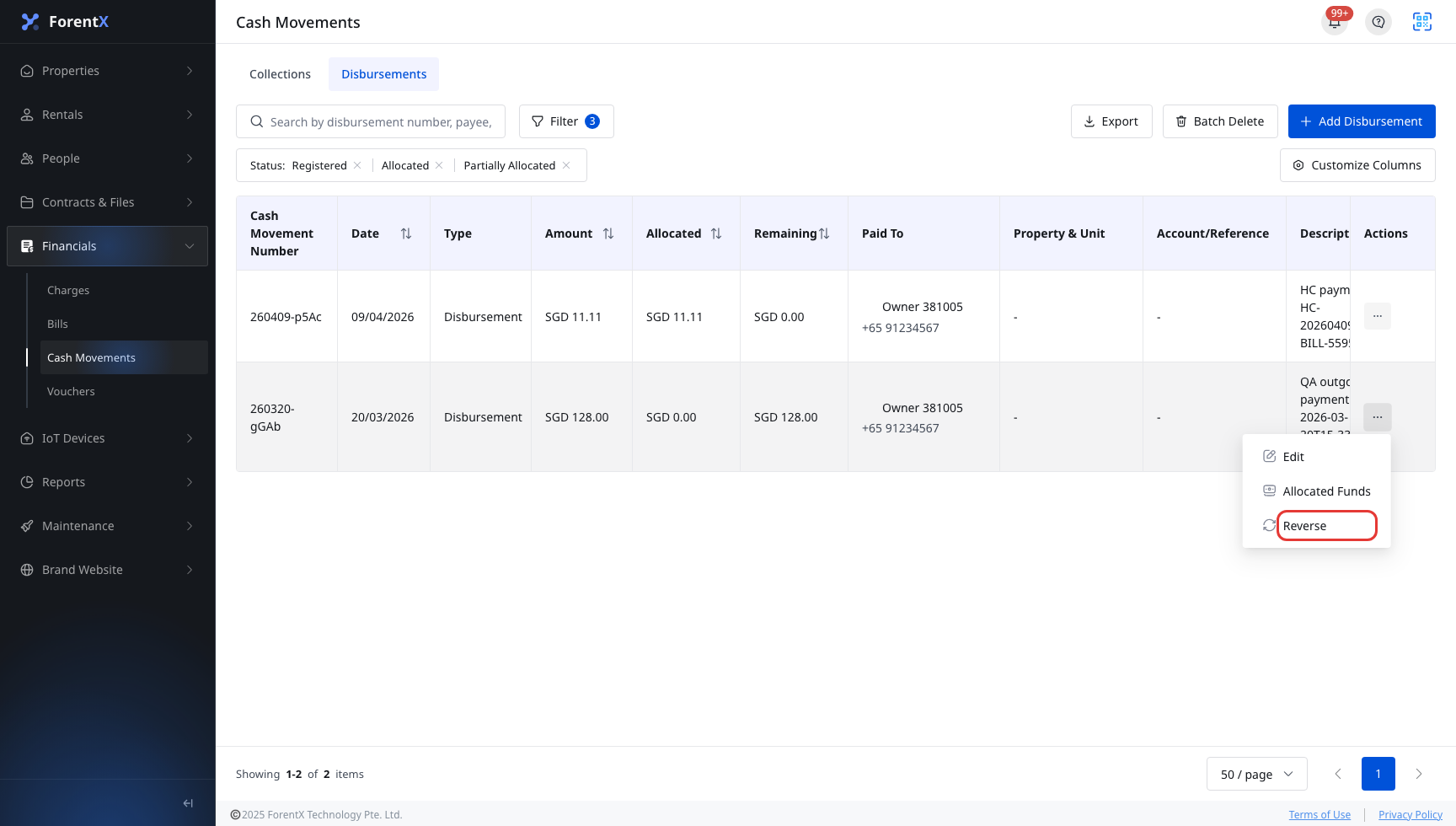
Step 1 Open [Disbursements]. Find the outgoing payment you need to reverse, open the row action menu, and click [Reverse].
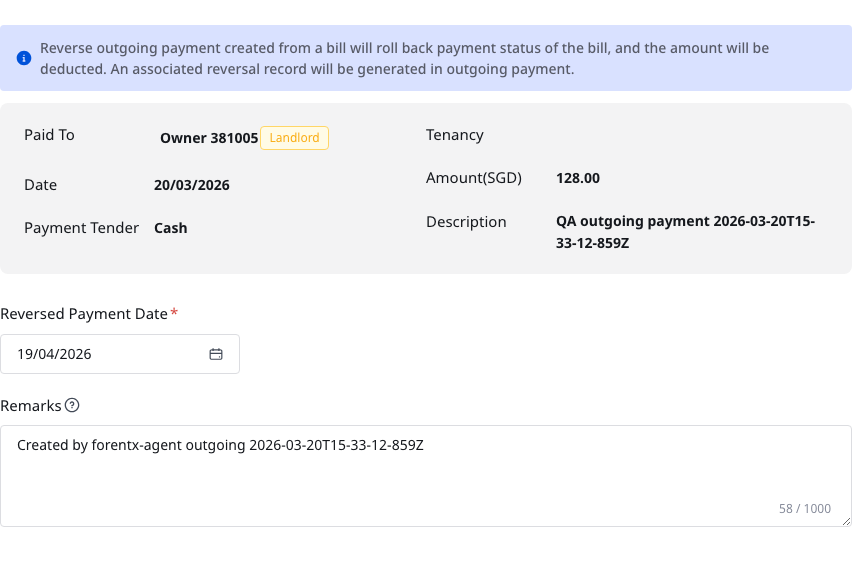
Step 2 In [Reverse Outgoing Payment], review the payment details, then set:
- Review [Paid To], [Date], [Payment Tender], [Tenancy], [Amount], and [Description]
- [Reversed Payment Date]
- [Remarks], if you need to explain why you are reversing it
Step 3 Click [Save].
Step 4 After the reverse is saved, the outgoing payment is updated by the current payments flow. If that outgoing payment came from a bill payment, the related bill payment effect is also rolled back.
App
App currently supports the outgoing payment follow-up flow after a disbursement already exists:
- View the [Disbursements] list
- Filter outgoing payment records
- Open payment details
- Review allocation history for eligible records
App does not currently provide [Reverse], the reverse dialog, or the save flow used on Web.
Platform differences
| Topic | Web | App |
|---|---|---|
| Entry | [Financials] -> [Cash Movements] -> [Disbursements] | [Financials] -> [Payments] -> [Disbursements] for list and details only |
| Reverse action | Supported when the row action menu still shows [Reverse] | Not supported |
| Form presentation | Modal dialog with current payment details and reverse fields | No reverse form |
| Bill rollback effect | Can roll back the linked bill payment effect when the outgoing payment came from a bill | View-only |
Note:
- This direct flow only applies when the row action menu still shows [Reverse].
- In the current system, some registered rows can show both [Allocated Funds] and [Reverse], while allocated or partially allocated disbursements may no longer show a direct [Reverse].
- The current dialog text explicitly warns that reversing an outgoing payment created from a bill will roll back the bill payment status and deduct the amount.