How do I update the payment status of a receivable charge?
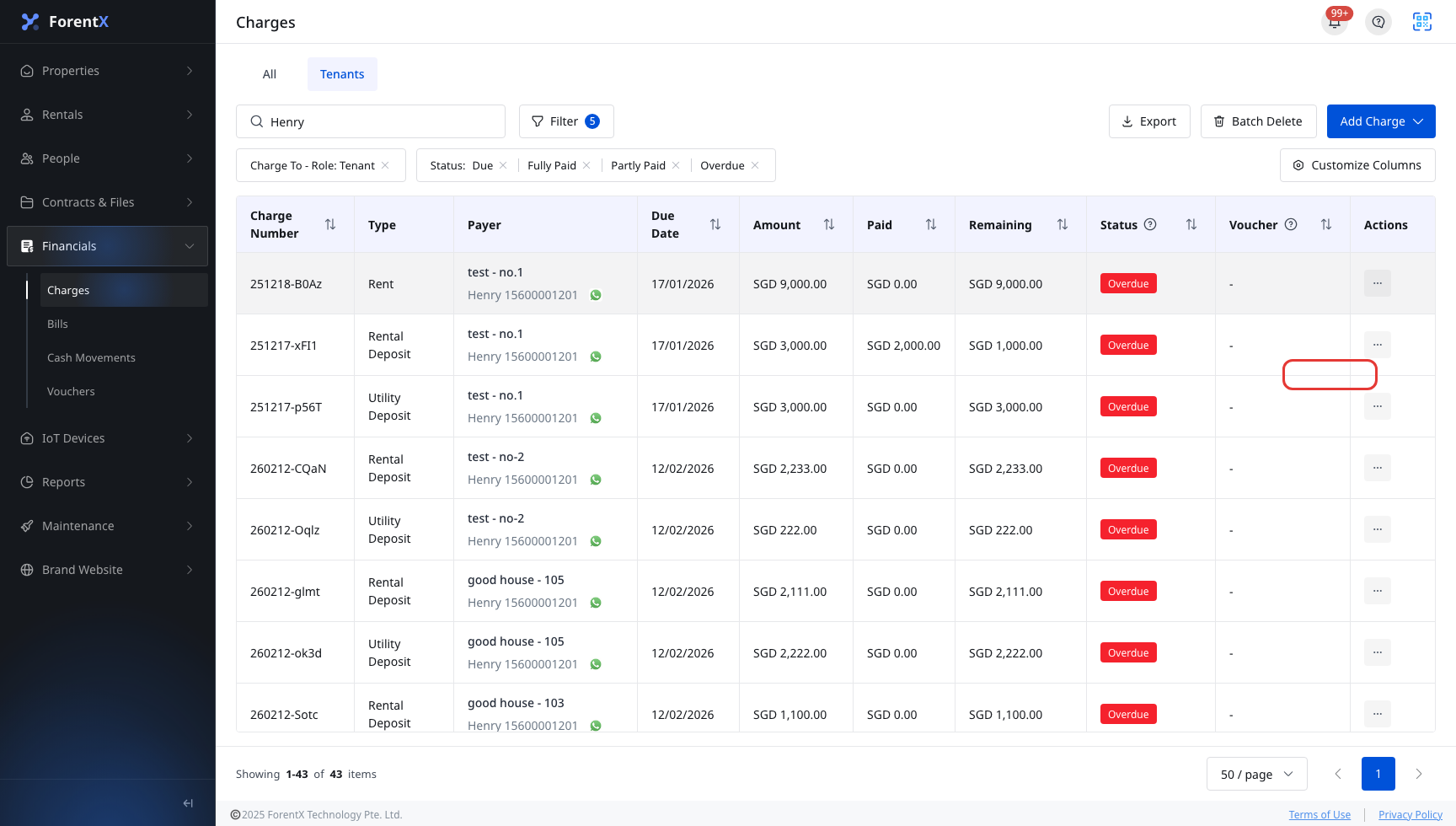
Use [Record Charge] in [Financials] -> [Charges] to record an offline payment for a charge and update its payment status. This action is currently available on Web only.
Entry:
- Web: [Financials] -> [Charges]
- App: No [Record Charge] entry. The current App only supports the [Charges] list, filters, and [Charges Details].
Web
Step 1 Open [Charges], find the receivable charge you want to update, open the row [Actions] menu, then click [Record Charge].
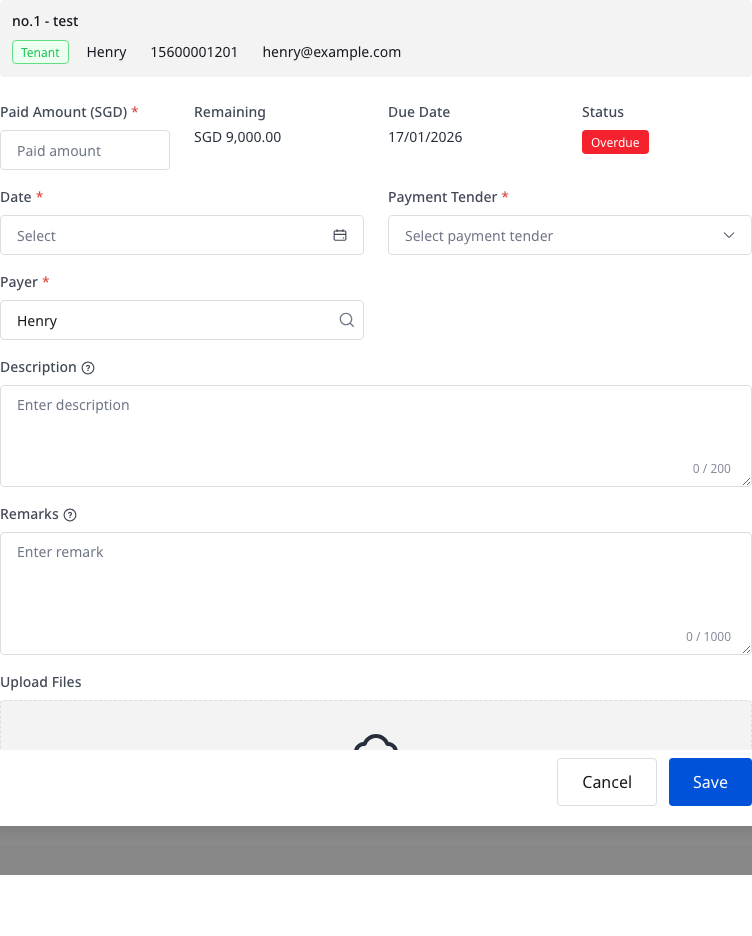
Step 2 In [Record Charge], review the charge summary first, then complete the payment details:
- Enter [Paid Amount]. The amount must be greater than 0 and cannot exceed [Remaining].
- Select [Date], [Payment Tender], and [Payer].
- When the selected payment tender needs extra details, complete the extra field that appears:
- [Remitter Account] for card payments
- [Reference Number] for [Check], [Direct Deposit], [Electronic Payment], and [Other]
- Add [Description], [Remarks], or [Upload Files] if you need supporting notes or attachments.
Step 3 Check the payment result before you save:
- If the paid amount matches the remaining amount, the charge is recorded as [Fully Paid].
- If the paid amount is lower than the remaining amount, the charge stays [Partly Paid].
- Click [Save] to record the payment.
App
The current App does not support recording a charge payment or changing the charge payment status.
You can still open [Financials] -> [Charges] and [Charges Details] to review the overview, [Charge Record], and [Uploaded Files], but there is no [Record Charge] action, payment form, or save flow in the App.
Platform differences
| Topic | Web | App |
|---|---|---|
| Manual payment entry | [Charges] row [Actions] -> [Record Charge] | Not supported |
| Payment form | [Paid Amount], [Date], [Payment Tender], [Payer], optional notes and files | Not supported |
| Conditional fields | [Remitter Account] or [Reference Number] appears based on the payment tender | Not supported |
| Payment status update | Save the payment from the dialog | Not supported |
Note:
- The current dialog is for offline/manual payment records. [Online] is not offered as a payment tender in this form.
- If the charge is already in an online payment flow, or the tenant is paying at the same time, the system blocks manual updates and shows a warning dialog.