How do I download the receipt PDF for an incoming payment?
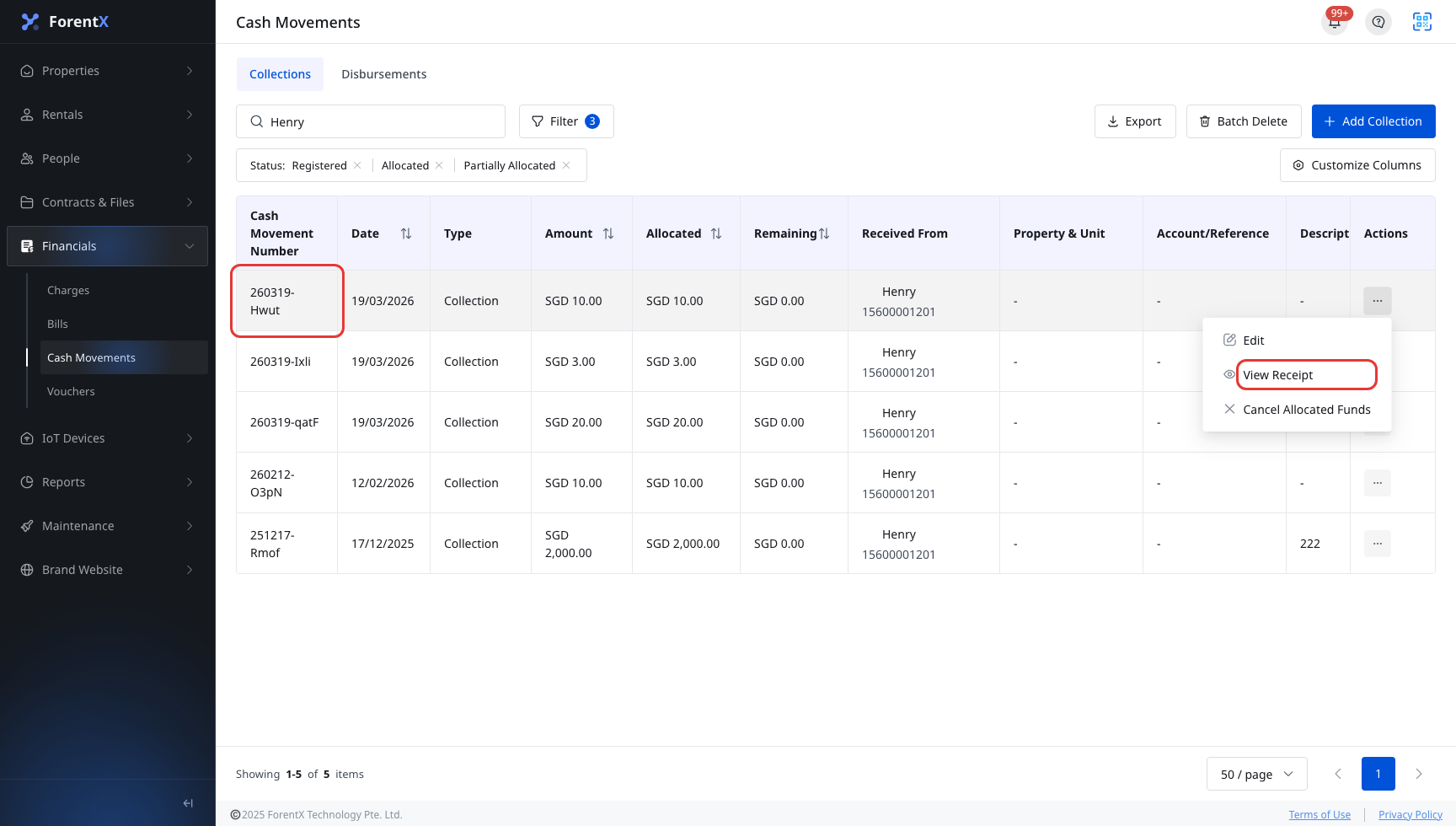
Use this flow when you need the PDF receipt for a collection that has already been recorded.
Entry:
- [Financials] -> [Cash Movements] -> [Collections]
Web
Open [Collections], find the incoming payment you need, then use the row [Actions] menu to open [View Receipt].
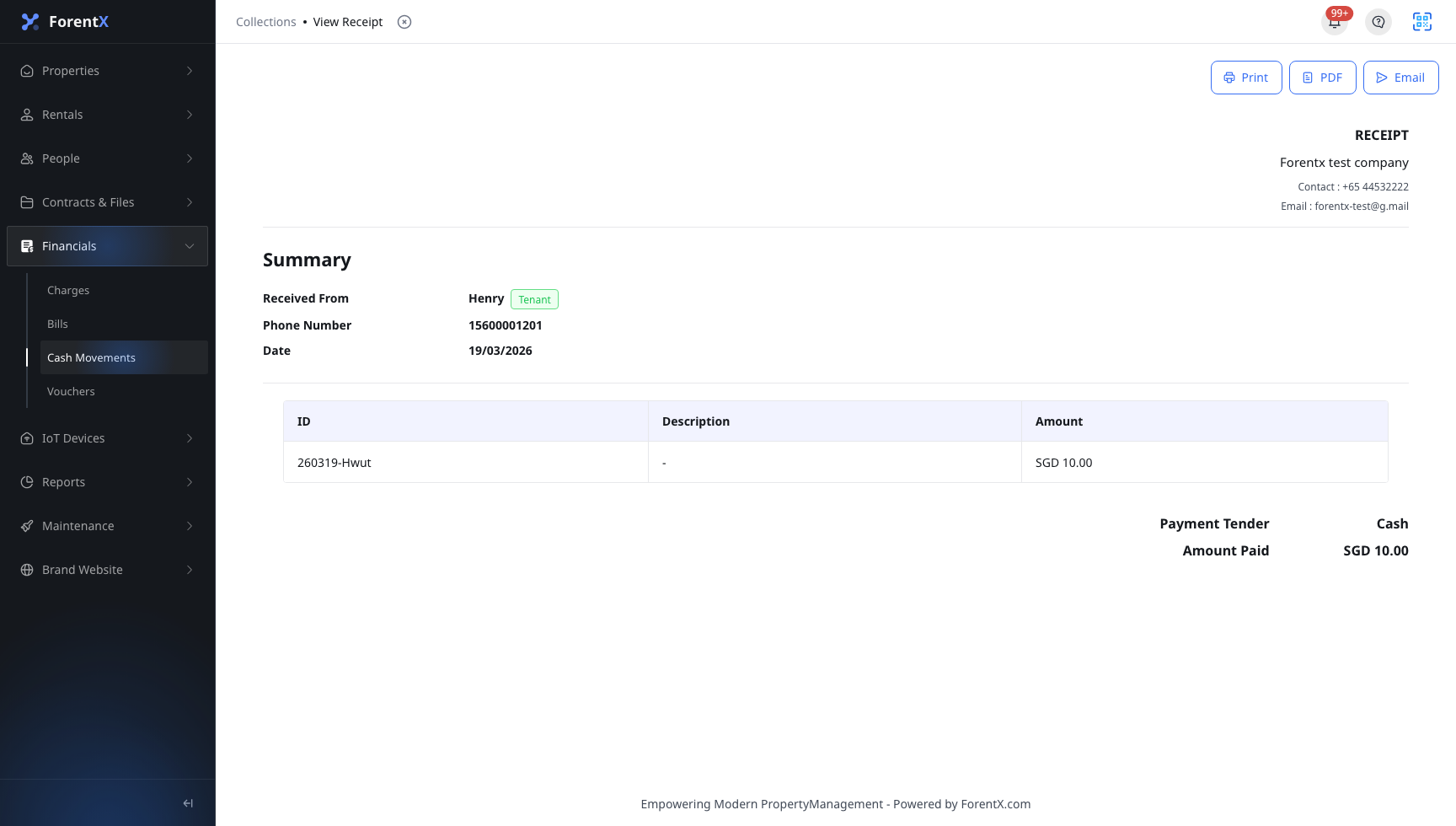
On the receipt page, use the action bar to download the file:
- Click [PDF] to download the receipt.
- Use [Print] or [Email] when you need to print the same receipt or send it from this page.
App
On the app, you can open [Financials] -> [Collections], review the payment details, and check allocation information. The app does not currently provide [View Receipt] or a receipt [PDF] download action.
Platform differences
- Web supports [View Receipt], [PDF], [Print], and [Email] from the receipt page.
- App supports collection lookup and payment detail review, but not receipt-page actions.
Note:
- The current Web row action is [View Receipt].
- If you only need payment details on the app, open the payment record directly from the Collections list.